











| OCR, or optical character recognition, is a technology that converts images of text, such as scanned documents, photos, and image-only PDFs, into machine-readable text that computers can search, edit, and process. In short, OCR turns pictures of text into usable digital data, which is why businesses rely on it to automate data entry, document processing, and identity verification. |
Key Takeaways
- OCR meaning: OCR (Optical Character Recognition) is the technology that reads text trapped inside an image and turns it into searchable, editable digital data.
- What it is used for: OCR technology is primarily used to digitize and extract text from scanned documents and images, replacing slow, error-prone manual data entry.
- How it works: A typical OCR system runs through image acquisition, pre-processing, text detection and segmentation, character recognition, and post-processing.
- Types: The main types are simple (pattern-matching) OCR, optical word recognition (OWR), optical mark recognition (OMR), intelligent character recognition (ICR), zonal OCR, and AI or deep-learning OCR.
- Where it delivers value: Banking and finance, healthcare, education, logistics, government, and retail, and, most importantly for regulated businesses, identity verification and KYC.
What Is OCR (Optical Character Recognition)?
OCR is best understood as an umbrella term for any technology that turns an image of text into editable, machine-readable data. That umbrella stretches from basic engines that read clean printed text to advanced AI models that handle messy handwriting and complex layouts. What they all share is a single job: unlocking the text that is trapped inside an image.
This is the key difference between OCR and simply scanning or photographing a page. A scan or a phone photo is still just an image, and the text inside it is locked as pixels that software cannot search, edit, count, or analyze. OCR reads those pixels, identifies the characters, and rebuilds them into digital text you can actually work with.
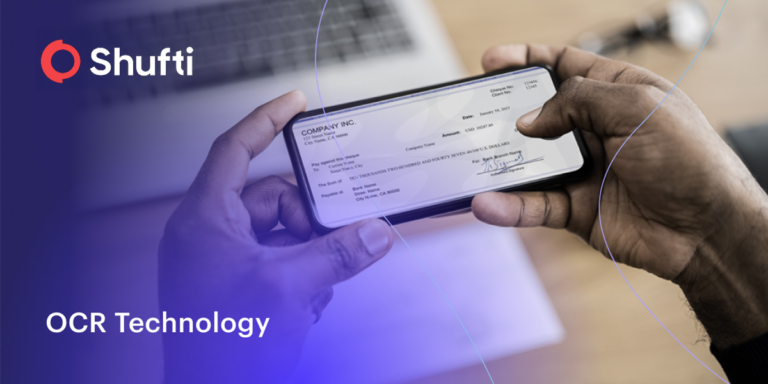
You already rely on OCR every day, often without noticing it: depositing a cheque by photographing it, scanning a receipt for an expense claim, passing an ID through a passport gate at the airport, or capturing a business card straight into your contacts. In each case, OCR is the quiet engine turning a picture of text into structured, usable information.
A Brief History of OCR
The idea behind OCR is older than modern computing. In the 1920s, physicist Emanuel Goldberg developed a machine that could read characters and convert them into telegraph code, and he later built one of the first document-retrieval machines. Around the same period, inventors built early reading devices that produced sounds for each letter so that visually impaired people could “hear” printed text.
In the 1970s, work on omni-font OCR (the ability to read almost any typeface) led to a reading machine that could scan printed text and read it aloud. OCR then moved into the mainstream in the early 1990s, when it was used to digitize large archives such as historic newspapers. Today, OCR has merged with artificial intelligence, machine learning, and neural networks, pushing accuracy far beyond what early template-based systems could achieve.
How Does OCR Work? (Step by Step)
OCR software may differ from vendor to vendor, but almost every OCR system follows the same core pipeline. Here is how OCR works, step by step:
-
Image Acquisition
A scanner or camera captures the physical document, form, or ID and stores it as a digital image. The clarity of this first capture sets the ceiling for how accurate the final result can be.
-
Pre-Processing
The system cleans up the image so the text is easier to read. This typically includes converting the image to black and white, correcting skew and rotation, removing noise and shadows, and sharpening the contrast between the text (foreground) and the background.
-
Text Detection and Segmentation
The engine locates where the text sits on the page, then breaks it into manageable units such as blocks, lines, words, and individual characters so each piece can be analyzed on its own.
-
Character Recognition
The engine identifies each character using one of two methods. Pattern matching compares each character against a stored library of fonts and shapes (called glyphs). Feature detection is used when the font is unfamiliar: it recognizes characters by their building blocks, such as the number of lines, curves, loops, and intersections.
-
Post-Processing
The recognized characters are reassembled into words and sentences. The system corrects likely errors, applies context and dictionaries, and outputs clean, searchable text (or structured data such as key-value pairs) that can flow straight into your systems.
Modern AI-powered OCR strengthens this pipeline with neural networks that analyze an image across many layers at once, which is what allows it to handle varied fonts, handwriting, poor lighting, and complex layouts far better than early systems.
Types of OCR Technology
“OCR” is often used as a catch-all term, but there are several distinct types of OCR technology, each suited to different documents and tasks:
-
Simple OCR (pattern matching)
The classic approach matches characters against a stored database of fonts and templates. It works well on clean, standardized print but struggles with unusual fonts and handwriting.
-
Optical Word Recognition (OWR)
Read text one whole word at a time rather than character by character. It is often simply called OCR and works well for languages that separate words with spaces.
-
Optical Mark Recognition (OMR)
Detects marks rather than characters, such as ticked checkboxes, filled bubbles on surveys and exams, logos, watermarks, and symbols.
-
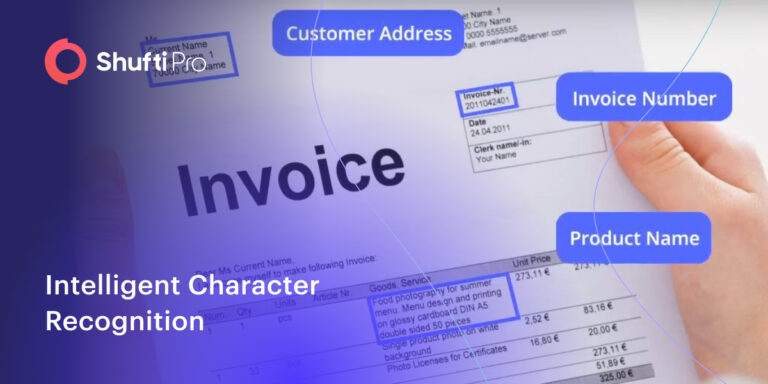
Intelligent Character Recognition (ICR)
Uses machine learning and AI to read handwritten and cursive text one character at a time, learning distinctive features the way a human reader does.
-
Zonal OCR (template OCR)
Extracts data only from specific, predefined zones of a document, which is ideal for structured forms like invoices, applications, and ID cards where the same fields always appear in the same place.
-
AI / deep-learning OCR
The most advanced form, using deep neural networks to read complex, distorted, multilingual, or low-quality documents with high accuracy and minimal manual configuration.
| Type of OCR | What it Reads | Best Suited for |
|---|---|---|
| Simple OCR | Standard printed characters | Clean, uniform printed documents |
| Optical Word Recognition (OWR) | Whole printed words | Space-separated languages |
| Optical Mark Recognition (OMR) | Marks, checkboxes, bubbles | Surveys, exams, ballots, forms |
| Intelligent Character Recognition (ICR) | Handwritten and cursive text | Handwritten forms and notes |
| Zonal OCR | Fixed fields and zones | Structured invoices, applications, IDs |
| AI / deep-learning OCR | Complex, distorted, multilingual text | Real-world, high-volume, mixed documents |
Is OCR AI? OCR vs ICR vs IDP
Is OCR AI? Not on its own. Traditional OCR is a rules-based technology: it recognizes and extracts characters, but it does not understand what the text means. Modern OCR, however, is increasingly paired with artificial intelligence to boost accuracy and add understanding. It helps to separate three closely related terms:
- OCR (Optical Character Recognition) extracts text from an image and turns it into machine-readable characters.
- ICR (Intelligent Character Recognition) is an AI-driven evolution of OCR that specializes in handwriting and varied styles, learning and improving over time.
- IDP (Intelligent Document Processing) sits on top of OCR. It uses OCR to read the document, then applies AI to classify it, understand context, validate the data, and route it, so it does far more than extract raw text.
| # | OCR | ICR | IDP |
|---|---|---|---|
| What it does | Extracts printed text | Extracts handwriting using AI | Reads, understands, validates, and routes documents |
| Core technology | Rule-based pattern matching | Machine learning | OCR plus AI, ML, and NLP |
| Output | Machine-readable text | Recognized handwritten text | Structured, validated, AI-ready data |
| Best for | Printed documents | Handwritten documents | End-to-end document automation |
For most businesses, the practical takeaway is simple: OCR is the engine that reads the text, and AI is the layer that makes that text smarter, cleaner, and ready for automated decisions.
Suggested Read: Best OCR Software Providers and Vendors Compared in 2026
Benefits of OCR Technology for Businesses
By replacing slow, manual document handling with fast, accurate data capture, OCR has become a core building block of digital business. Its main benefits:
- Reduced Manual Identification: Extracts customer details from an ID and passes them straight into verification, removing a manual step.
- Lower Operating Cost: Less manual effort lowers cost without reducing service quality.
- A Substitute for Manual Data Entry: Captures every required field from a document in seconds instead of typing by hand.
- Saved Human Resources: Fewer people tied up in data entry, freeing staff for higher-value work.
- Faster, Smoother Workflows: Automated capture speeds up end-to-end operations and supports revenue growth.
- Reduced Error Rate: Removes manual-entry mistakes and flags low-confidence results for review.
- Improved Productivity: Staff focus on judgment-based work instead of retyping.
- Automated Content Processing: Drops each value into the right field automatically, such as a name into “Customer Name”.
- Faster Onboarding and Better Customer Experience: Customers verify in seconds without long forms, cutting drop-off.
- Stronger Compliance and Audit Readiness: structured, searchable records make KYC and AML obligations and audits easier to meet.
- Fraud Prevention and Tamper Detection: cross-checks extracted data against printed details and the machine-readable zone to catch forged documents.
- Scalability without Extra Headcount: absorbs volume spikes at the same speed and accuracy.
- Multilingual, global coverage: reads many languages and scripts to onboard customers worldwide from one workflow.
In document-heavy, regulated sectors like banking, AI-powered OCR delivers the accuracy and robustness to power document verification for KYC and AML, turning an uploaded ID into verified data with minimal manual overhead.
OCR technology as a Business Solution
Optical Character Recognition (OCR) technology provides a business solution that automates data extraction from an image file or scanned document containing written or printed text. The extracted text is then converted into a machine-readable form that is further used for data collection, processing, and analysis.
OCR is a widespread technology used in various business operations to streamline the process of data extraction from documents. It is capable of reducing the overall time it takes in manual data extraction and entry.
The technology started prevailing in the early 1990s while digitizing historic newspapers. It then came through several startling improvements so that today it can sleekly extract data from documents and automate global business processes. With constant advancements in the past few years, OCR technology has reached a remarkable accuracy of more than 90%.
User access to information is improved with advanced Optical Character Recognition technology that can extract data from a variety of text formats and templates such as invoices, contracts, ID documents, financial statements, receipts, and many more. These digital files can be searched from a repository to find the required document, then viewed, edited, and repurposed to send the information to other systems.
Use Cases of Optical Character Recognition for Businesses
OCR replaces the slow, error-prone work of retyping printed or scanned text, and now powers everyday tasks from indexing documents for search to automatic number-plate recognition. Common business use cases include:
- Information Retrieval: Converts image-only PDFs and paper into searchable files with an invisible text layer, acting as a digital index for names, keywords, and phrases.
- Greater Security with Cloud Storage: Moves data off vulnerable paper into the cloud, with controlled access and read/edit retrieval from any device, anywhere.
- Reducing Costs: Automates data entry (a user simply uploads a bill and the system reads it) and cuts shipping, copying, and printing costs by going fully digital.
- Time Optimization: Higher accuracy reduces rework and shortens each task, lifting productivity and revenue.
- Digital Identity Verification: Reads an uploaded ID, passport, driving license, or bank card and verifies it in seconds, so document verification against government-issued documents filters out bad actors and meets regulatory requirements.
- Automation: Extracts and validates invoice data, then categorizes and files it into the accounting system, running the whole process without manual handling.
OCR Use Cases by Industry
OCR technology is used across almost every sector that handles paperwork. Some of the most common industry applications include:
-
Banking and Finance
Extracting data from loan applications, cheques, account-opening forms, and identity documents to speed up onboarding, populate records automatically, and meet KYC and AML requirements.
-
Healthcare
Digitizing patient records, insurance claims, prescriptions, and lab reports so information becomes searchable, easier to manage, and simpler to keep compliant.
-
Education
Converting printed notes, textbooks, and archives into accessible digital text, including support that lets visually impaired learners hear written material.
-
Logistics and Supply Chain
Reading shipping labels, delivery documents, invoices, and licence plates to automate tracking, sorting, and inventory updates.
-
Government and Public Sector
Processing passport and visa applications, tax forms, and citizen services, and digitizing large physical archives for faster retrieval.
-
Retail and E-Commerce
Capturing receipts and invoices, automating expense management, and speeding up customer verification at checkout and onboarding.
Suggested Read: OCR in Banking
Limitations and Challenges of OCR
OCR is powerful, but it is not flawless. On clean, printed, black-and-white documents, modern engines can approach very high accuracy, yet real-world documents rarely look that tidy. Understanding where OCR struggles helps you choose the right solution and set realistic expectations:
-
Poor Image Quality
Blurry, low-resolution, faded, or badly lit scans are the biggest cause of OCR errors. Shadows, glare, smudges, ink bleed, and busy or coloured backgrounds all make it harder for the engine to separate text from everything else.
-
Handwriting and Unusual Fonts
Standard OCR is optimized for clean, printed type. Cursive handwriting, decorative fonts, and inconsistent styles can confuse it, which is where AI-driven ICR and deep-learning models are needed.
-
Complex Layouts and Tables
Multi-column pages, dense tables, mixed content, and non-standard layouts can cause OCR to misread text or lose the original formatting, so structure has to be rebuilt afterwards.
-
Language and Script Coverage
Many engines handle the Latin alphabet well but struggle with less common languages and non-Latin scripts. Global businesses need OCR with broad, proven language and script support.
-
Reading without Understanding
Traditional OCR extracts characters but does not understand meaning, so it cannot validate a value, spot an anomaly, or decide what to do next. This is exactly the gap that AI and intelligent document processing are built to close.
OCR in Identity Verification and KYC
For regulated businesses, one of the highest-value uses of OCR is identity verification. When a customer uploads an ID card, passport, driving licence, or residence permit during onboarding, OCR reads the document and instantly extracts the details that matter: full name, date of birth, nationality, gender, document number, and issue and expiry dates. This is what makes fast, remote, and accurate KYC possible.
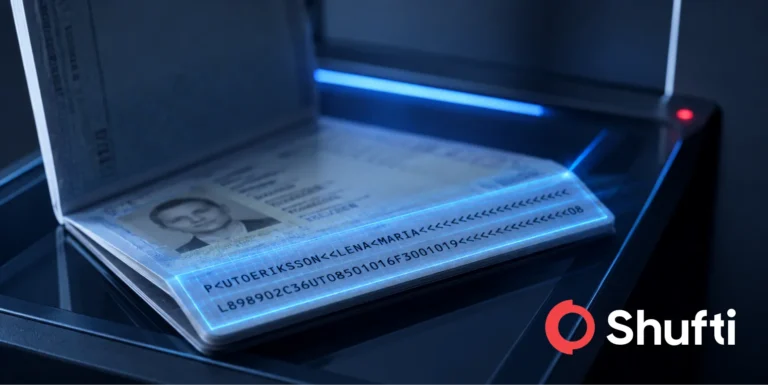
OCR also reads the Machine-Readable Zone (MRZ), the two or three lines of characters at the bottom of passports and many ID cards. The data in the MRZ is cross-checked against the printed details on the document to confirm the information is consistent and has not been tampered with. Because document templates, languages, and scripts differ from country to country, strong OCR needs broad language and document coverage to work reliably at a global scale.
Shufti applies OCR inside its document verification and onboarding flows with support for over 150 languages and document coverage across 240+ countries and territories, helping businesses onboard genuine customers in seconds while filtering out forged or manipulated documents.
| See OCR built for compliant onboarding
Shufti’s OCR solution performs instant image-to-text extraction from identity and business documents with 90%+ accuracy and support for 150+ languages across 240+ countries. Explore how it fits into your verification workflow. |
OCR Software: What to Look For
Not all OCR software is built for the same job. A tool that digitizes office paperwork is very different from an enterprise OCR engine that verifies identities for regulated onboarding. When you evaluate OCR software or an OCR-as-a-service provider, weigh these factors:
-
Accuracy
How reliably it reads real-world documents, including low-quality scans, photos, and handwriting, not just clean test files.
-
Language and document coverage
Support for the scripts, languages, and document types your customers actually use, across the markets you operate in.
-
Speed and scalability
Real-time extraction that holds its accuracy as document volumes grow.
-
Security and compliance
Data protection, encryption, and alignment with regulations such as GDPR, plus the certifications relevant to your industry.
-
Integration and deployment
A clean API or SDK and flexible deployment options (cloud, on-premises, or hybrid) that fit your existing stack.
-
AI and validation
Whether OCR is paired with AI to validate, structure, and cross-check the extracted data, rather than simply reading it.
How to Improve OCR Accuracy
OCR accuracy depends heavily on the quality of the input. To get the best possible results, you can:
-
Improve capture quality
Use good lighting, high resolution (300 DPI or higher for scans), and a steady, straight-on angle when scanning or photographing documents.
-
Reduce noise and glare
Avoid shadows, reflections, and busy or coloured backgrounds that make text harder to isolate from the page.
-
Use pre-processing
Deskewing, cropping, contrast enhancement, and binarization (converting to black and white) all help the engine read text more cleanly.
-
Choose AI-powered OCR
Deep-learning models handle varied fonts, handwriting, and imperfect images far better than template-based systems.
The Future of OCR: From Text Recognition to Document Understanding
OCR is moving from simply recognizing characters to understanding whole documents. The newest systems combine OCR with machine learning, natural language processing, and computer vision so they can read a page the way a person does, taking in layout, context, and the relationships between fields, not just isolated letters.
Three shifts are shaping where OCR is heading:
-
From text to structured data:
The valuable output is no longer a wall of raw text but clean, structured, AI-ready data (such as key-value pairs) that can flow straight into downstream systems.
-
From extraction to intelligent document processing
OCR is increasingly delivered as part of intelligent document processing (IDP), which classifies documents, validates the data, detects anomalies, and routes results automatically with far less manual review.
-
From configuration to adaptability
Modern AI and multimodal models adapt to new document formats with little or no manual setup, which shortens deployment and improves accuracy on messy, real-world documents.
For identity verification and onboarding, this direction matters: AI-enhanced OCR means faster, more accurate, real-time verification, stronger fraud detection, and less friction for genuine customers, even as document types and fraud tactics keep changing.
| Turn document images into verified data
Manual data entry slows onboarding and invites errors. See how document verification uses OCR to extract and validate customer details from IDs in seconds, so genuine users get through and fraudsters do not. |
Automate data extraction with Shufti OCR
Shufti OCR has your business covered. With remarkable accuracy of more than 90% and fast, real-time results, Shufti helps businesses automate their data-extraction processes. In seconds, banking, e-commerce, digital payment services, and many more industries can pull user information from any type of document using OCR technology, reducing the overhead of manual data entry and the time-consuming task of data collection.
| Try Shufti’s OCR-powered verification
Ready to see accurate, real-time data extraction in your own flow? Book a demo and get free access to test OCR-powered identity and document verification for your business. |
Shufti offers both options of onsite verification with or without OCR.