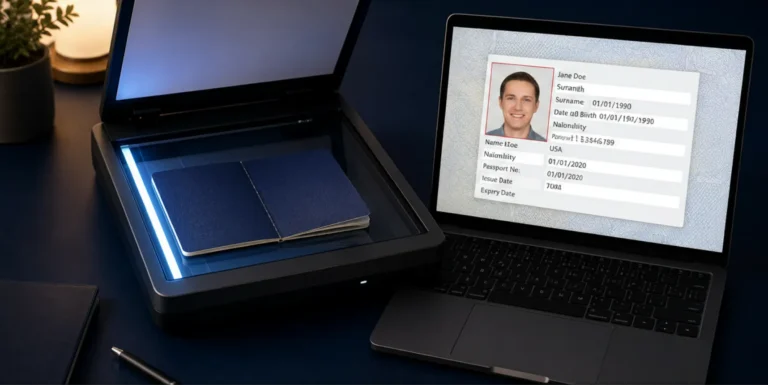












Document verification confirms that an identity document, which could be a passport, a national ID card, or a driving licence, is genuine, unaltered, and valid, so it can be relied upon as an independent source that the Financial Action Task Force (FATF) Recommendation 10 suggests to be used when verifying a customer’s identity. Digital document verification, which is also called online document verification, runs the same checks remotely on an image or chip read from the customer’s device.
How does the document verification process work?
The document verification process follows the same sequence whether a trained reviewer or document verification software runs it. Each stage depends on the one before, so a blurred, cropped, or glare-covered capture can fail a genuine document before any forensic check begins.
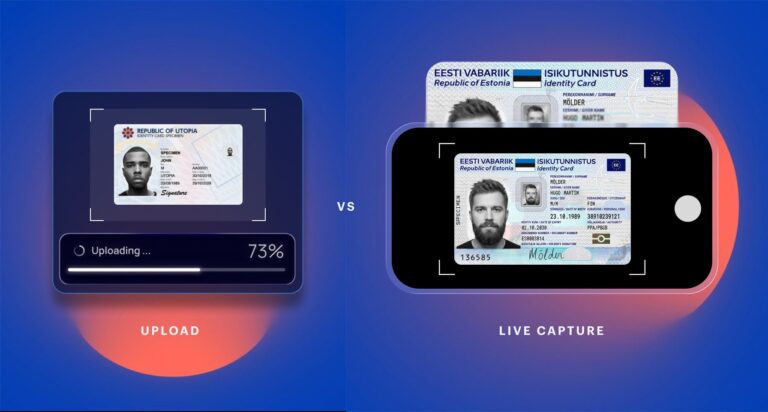
- The customer presents the original or photographs both sides through a web or mobile flow.
- Document type, issuing country, and version are identified so the right template applies.
- Optical character recognition (OCR) reads the printed fields, plus the machine-readable zone (MRZ).
- Security features, fonts, and the photo area are inspected for counterfeiting or tampering.
- Expiry, check digits, and, where available, issuer records confirm validity.
- A face match with liveness links the document to the person presenting it.
- The case is approved, rejected, or referred, and the evidence is kept for audit.
What are the different types of document verification?
Types of document verification differ by who performs the check, where the document is presented, and how deep the inspection goes. Most programmes combine at least two, such as automated online checks for most customers and manual review for referrals.
- Manual in-person Inspection:
This is where trained staff examine the original document. Sometimes, it happens under ultraviolet (UV) light.
- Remote Manual Review
With this method, an analyst reviews uploaded images or videos. However, its validity is compromised if the image quality is low.
- Automated Online Document Verification
Software would classify the document, extract data from it, and run forensic image checks. It breaks down when template libraries start drifting. This happens when assets lose their relevance, accuracy, and brand alignment over the course of a period.
- Chip (NFC) verification
A phone reads the chip over near-field communication and checks the issuer’s signature. This particular method requires a chipped document and an NFC phone.
- Issue or Database Validation
Data is checked against an authoritative source. The drawback for this is that access varies from country to country.
The US National Institute of Standards and Technology (NIST) accepts trained visual inspection, automated validation, and cryptographic checks for validating evidence in SP 800-63A-4.
Where is document verification used?
Document verification is used wherever a law or a fraud risk means you must know who sits behind an account, a payment, or an age-restricted service. The trigger changes by sector, while the document checks themselves stay largely the same.
| Sector | Why documents are checked |
| Banks and payment firms | Customer due diligence (CDD) at onboarding |
| Crypto-asset service providers | AML onboarding of remote customers |
| Online gambling | Identity and age checks on player accounts |
| Age-restricted online services | Ofcom lists photo-ID matching as capable of highly effective age assurance under the UK Online Safety Act |
| Employers | Right to work checks under Home Office guidance |
| Marketplaces and gig platforms | Verifying sellers, hosts and drivers before they transact |
What does a document verification check look for?
A document verification checks answers to three ambiguities which are: whether the document is genuine, its validity, and whether it belongs to the person holding it as well or not. The UK government’s identity guidance places document authenticity verification in its second step, “check the evidence is genuine or valid”.
| Check | What it confirms |
| Security features | Holograms, microprint, and UV or infrared (IR) responses match the issuer’s template |
| Data consistency | Printed data matches the MRZ or chip, and MRZ check digits follow International Civil Aviation Organization (ICAO) Doc 9303 |
| Tampering | No photo substitution, altered fields, or digital editing |
| Physical presence | The image shows a real document, not a screen or photocopy |
| Validity (document validation) | Details match an authoritative source, and the document is in date and not reported lost or stolen |
| Holder match | The face on the document matches the live person |
What common types of documents are verified?
Government-issued photo documents carry the most weight, because issuers build in security features and record what they issue. The US Customer Identification Program (CIP) rule, 31 CFR 1020.220, names unexpired government-issued photo ID, such as a passport, as the documentary route for individuals.
| Category | Examples | Typical verification points |
| Identity documents | Passports, national ID cards, driving licences, residence permits | MRZ, barcode or chip, security printing |
| Proof of address | Utility bills, bank statements, tax letters | Issuer details, dates, layout and file metadata |
| Business documents (KYB) | Certificates of incorporation, business licences, partnership agreements, trust instruments | Registry cross-checks |
Fraud that Document Verification detects
Document fraud falls into recognised categories, and each leaves a different trace for document verification checks to find. The EU’s Public Register of Authentic Travel and Identity Documents Online (PRADO) glossary names the first six below, and remote onboarding adds image attacks.
| Fraud type | What it is | What exposes it |
| Counterfeit | A full reproduction of a genuine document | Missing or poorly copied security features |
| Forgery | A genuine document with altered data or photo | Font breaks, MRZ or chip mismatch |
| Pseudo document | An imitation with no legitimate issuer | No matching issuer template |
| Stolen blank | A genuine blank personalised by fraudsters | Print quality, lost-and-stolen serials |
| Impersonation | A genuine document used by someone else | Face match and liveness |
| Digital manipulation | Edited or AI-generated images, screen replays | Pixel, metadata and recapture analysis |
Fraudulently obtained documents are real, so document checks alone miss them. Database and behavioural signals close that gap.
Document verification in KYC and AML compliance
Verification of documents is one route to the identity verification step of customer due diligence. AML laws describe the evidence you may rely on rather than mandating a technology, and each framework below accepts electronic identification or non-documentary evidence alongside documents.
| Framework | What it says about documents |
| FATF Recommendation 10, 2012 standards | Verify identity using reliable, independent source documents, data or information |
| Directive (EU) 2015/849, Article 13(1)(a) | Reliable and independent sources include electronic identification means and trust services under eIDAS |
| Regulation (EU) 2024/1624 | Moves CDD into a directly applicable regulation from 10 July 2027 |
| UK Money Laundering Regulations 2017, regulation 28(18) | Documents issued by an official body count as independent of the customer |
| US 31 CFR 1020.220(a)(2)(ii) | Banks verify through documents, non-documentary methods, or both |
A passed document check proves the document, not the customer. Screening, beneficial ownership for entities, and ongoing monitoring still have to follow.
Frequently Asked Questions
What is digital document verification?
Digital document verification checks an identity document remotely, using an image or chip read captured on the customer's phone or computer. Software confirms the document's authenticity, data, and validity without the customer presenting it in person.
What makes a document fail verification?
A document fails when it is expired, damaged, or unsupported, shows signs of counterfeiting or tampering, or carries data that does not match its MRZ, chip, or holder. Blurred, cropped, or glare-covered images also cause failures.
Can document verification be done online?
Yes. The customer captures the document with a phone or webcam, and software checks its security features, data, and validity remotely. Where the document has a chip, an NFC read adds a cryptographic check of the issuer's signature.
What is the difference between document verification and identity verification?
Document verification confirms that a document is genuine and valid. Identity verification confirms that a person is who they claim to be, usually by combining a verified document with a face match, liveness check, or database check.
How do I verify my documents?
Follow the verification flow of the business that is asking for them. This usually means taking a picture of the front and back of a valid government-issued ID on one’s phone and taking a selfie for a face match. This needs to be captured from all four corners in good light without any glare.