









 AMLR Solutions
  AMLR Consultation
 EUDI Wallet
 Onboarding
 Ongoing Monitoring
 FRAML
FRAML KYC
KYC KYB
KYB KYI
KYI Age Assurance
 Workforce IAM
 Candidate Verification
 Account Takeover
 Bonus/ Promotion Abuse
 Chargeback Fraud
 Deepfake
 Document Fraud
 Fraud Networks
 Impersonation Fraud
 Money Mule Activity
 Multi-Accounting
 Party Fraud
 Regulatory & Compliance Risks
 Synthetic Identity Fraud
 Adult Content
 Banking
 Crypto
 Fintech
 Forex
Forex Compliance
 Fraud prevention
 Trust & safety
 Global expansion
 Compliance Officers
 Developers
 Fraud Analysts
 Product Managers
 Journey Builder
  Global Trust Platform
 Customer Profiles
 Vendor Comparison
 IDV Case Management
 AML Case Management
 Regulatory Reporting
 Agentic Rule Builder
  AI Compliance Co-Pilot
  Fraud Analytics
 Fraud Hub
  OCR
OCR Shufti AI
 Bank Account Verification
  Biometric Duplication
 Database Checks
 Document Intelligence
 Government ID
 Mobile Driver's License
 NFC
NFC Selfie Liveness
 Brand Personalisation
 Deployment Options
 Identity Methods
 IDV Modes
 Multi-tenancy
 On-Premise IDV
 Secure Capture
 Shufti MCP


Journey Builder
Intelligent Verification Workflows Built For Scale.
Transform compliance from a static checklist into a dynamic, personalized experience. Compose complex, logic-driven routing or let Shufti AI journey builder generate your entire journey directly from your compliance policy. Total control, zero engineering required.

Europe’s First iBeta Level 3 Certified Liveness Provider
Measured Inside The Shufti Back Office







Journeys That Branch On Every Result
Logic That Routes Every Applicant
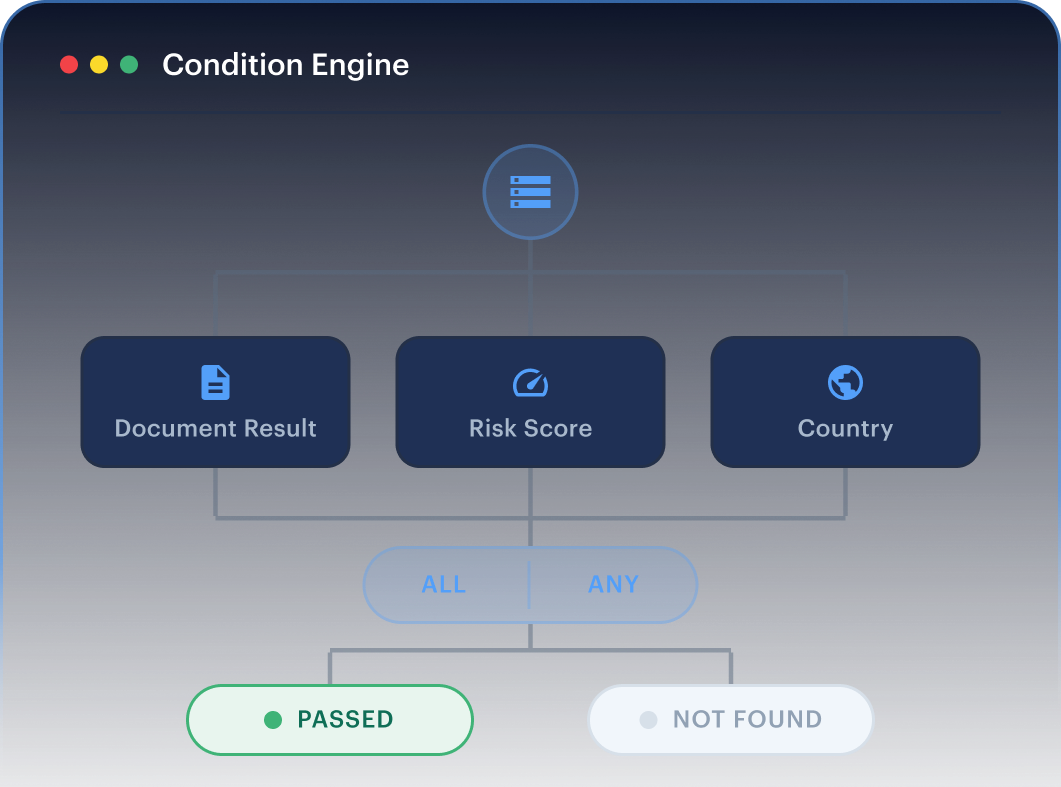
A journey is a connected graph. Condition nodes read the result of any step and send each applicant down the right path, so low-risk users clear quickly and higher-risk profiles route to deeper checks or human review. Every fork carries a catch-all branch, so no applicant is left unhandled.
One Record Behind Every Decision
As each service returns, its result is written to a shared journey record that every node can read. Conditions branch on named datapoints such as document result, risk score, or a declared country, using typed operators and simple ALL or ANY grouping. Missing data resolves safely to a false result rather than breaking the flow.
From Written Policy to Live Journey
Paste a compliance policy and Shufti drafts the full journey. The generator works only with approved services, datapoints, and operators, and a deterministic validator checks the output before it can run, so the drafted journey is always one the engine can execute.
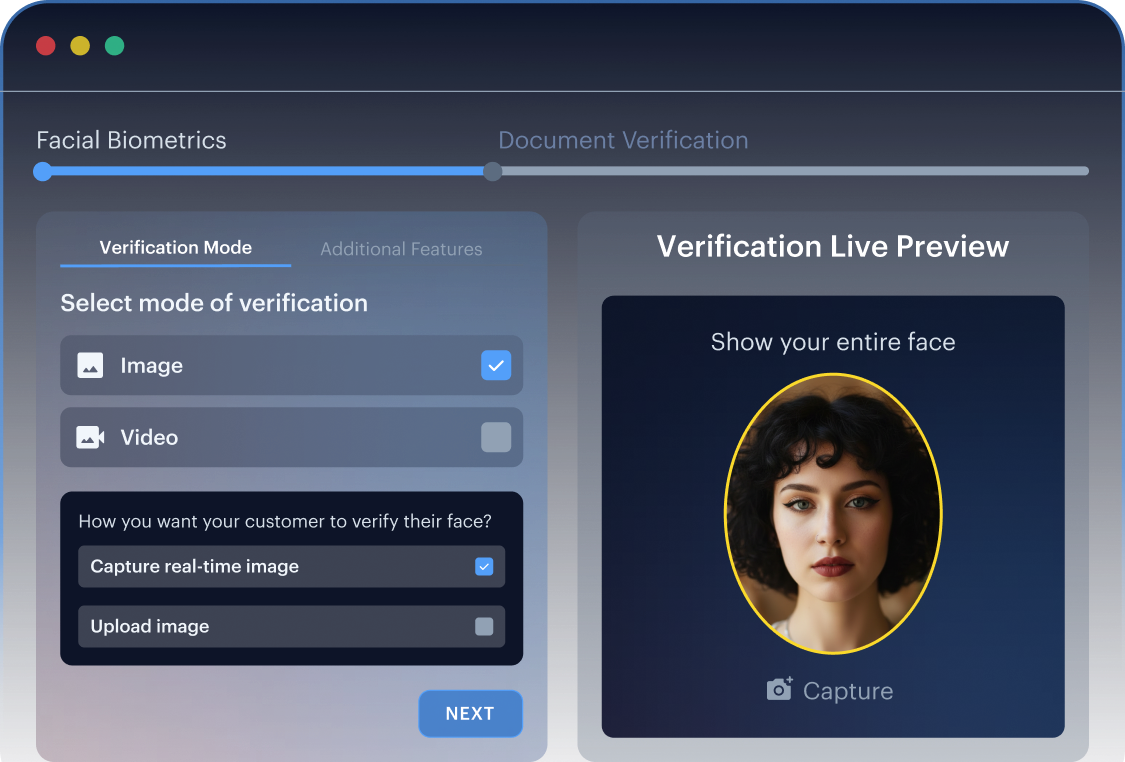
Preview That Matches Production
The dry-run preview runs the same logic the live engine runs, so what a team tests on the canvas is what applicants experience in production. Journeys are validated before Auto Code Generator returns the integration snippet for the developer team.
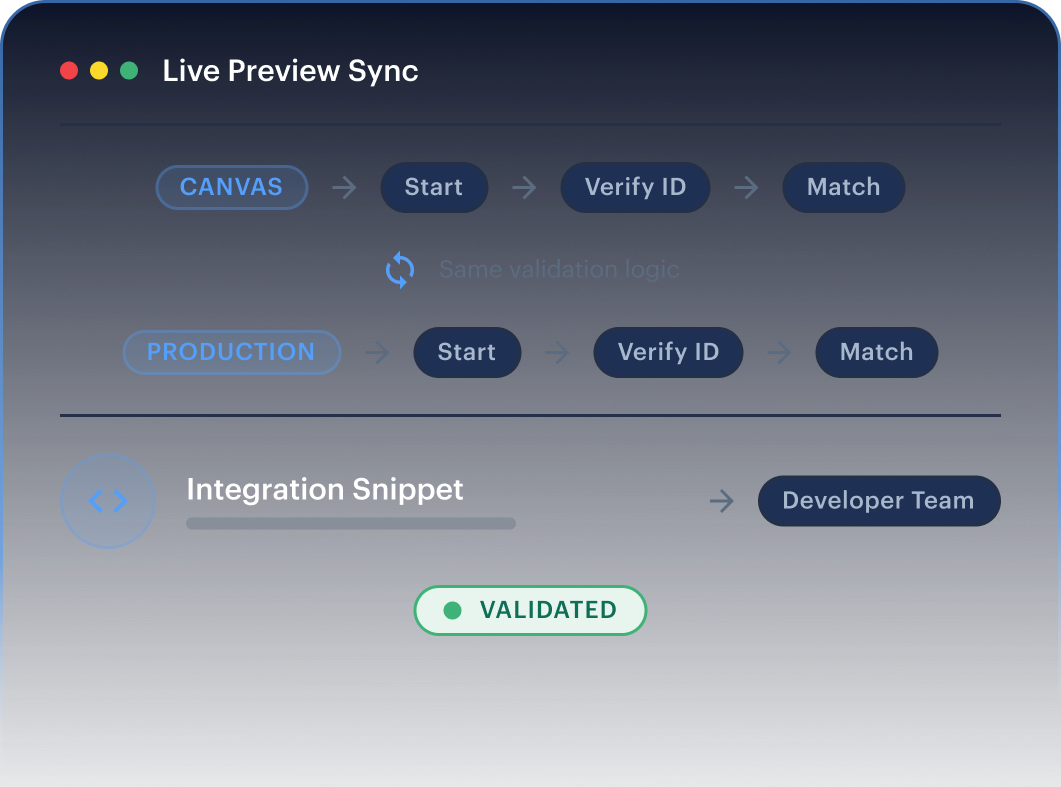
The Configuration Surface Behind Every Journey

Verification Service Selection
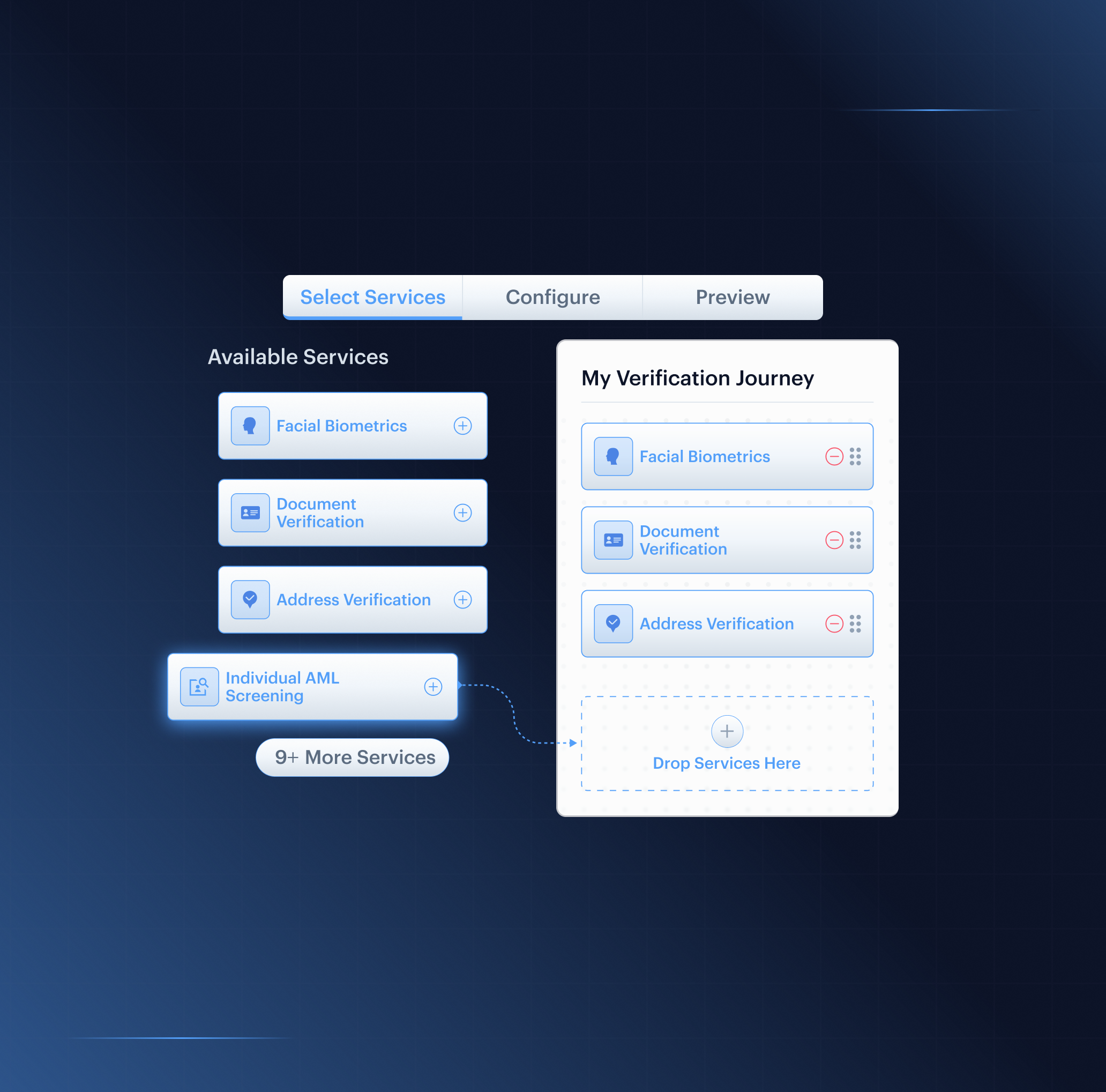
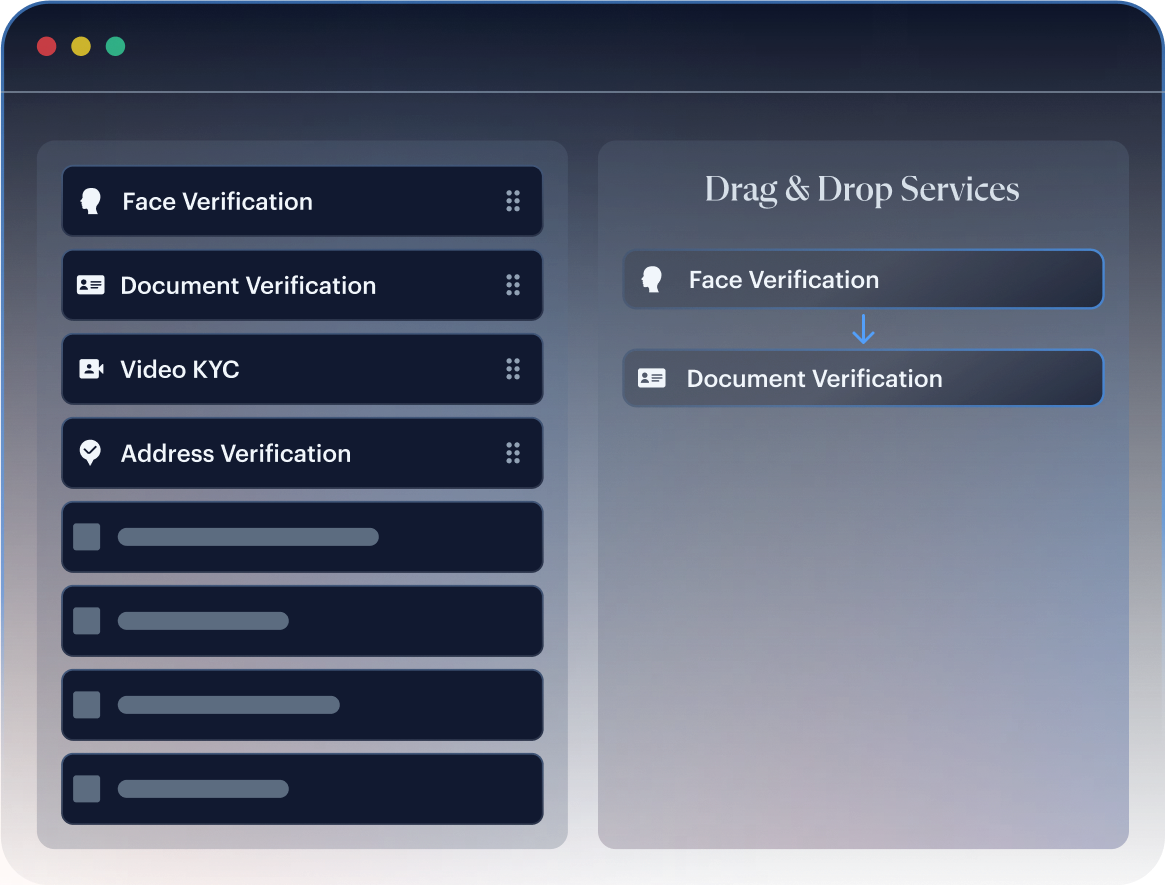
Place any of 18 services on the board: Fast ID, eIDV Pro, facial biometrics, age verification, 1:1 authentication, document, address, due diligence forms, consent, phone and email MFA, user risk, VideoIdent, KYB, investor verification, and more. Order them without touching the SDK.

Condition Nodes
Branch on any datapoint in the journey record using typed operators. Combine tests with ALL or ANY, one grouping level deep, with a catch-all path on every fork.

Automated Actions
Run background actions inside the flow without prompting the applicant: add to a blocklist, mark a record inactive, tag a case, send a webhook to a downstream system, or hold the journey with a wait step.

Applicant Data Collection
A hosted onsite form gathers declared details such as country or product type so conditions can route on them. It collects the input; it does not verify it. Attach up to five questionnaires per API call for risk surveys, due-diligence, and consent capture.

Outcome Control
Every path ends in a defined state: Approved, Declined, or Manual Review. Journey-level rules govern retries and how a single declined step is handled.

Onsite or Offsite Hosting
Choose whether Shufti hosts the applicant-facing flow or your platform does. The setting governs which services and nodes are available across the journey.

Distribution
Ship a journey three ways: embedded integration through Auto Code Generator output, a QR code generated from the canvas, or a custom company-name URL for white-labelled links.
From Log-In to Live Journey Inside the Back Office
Five Steps. No Engineering Involvement.
STEP 01
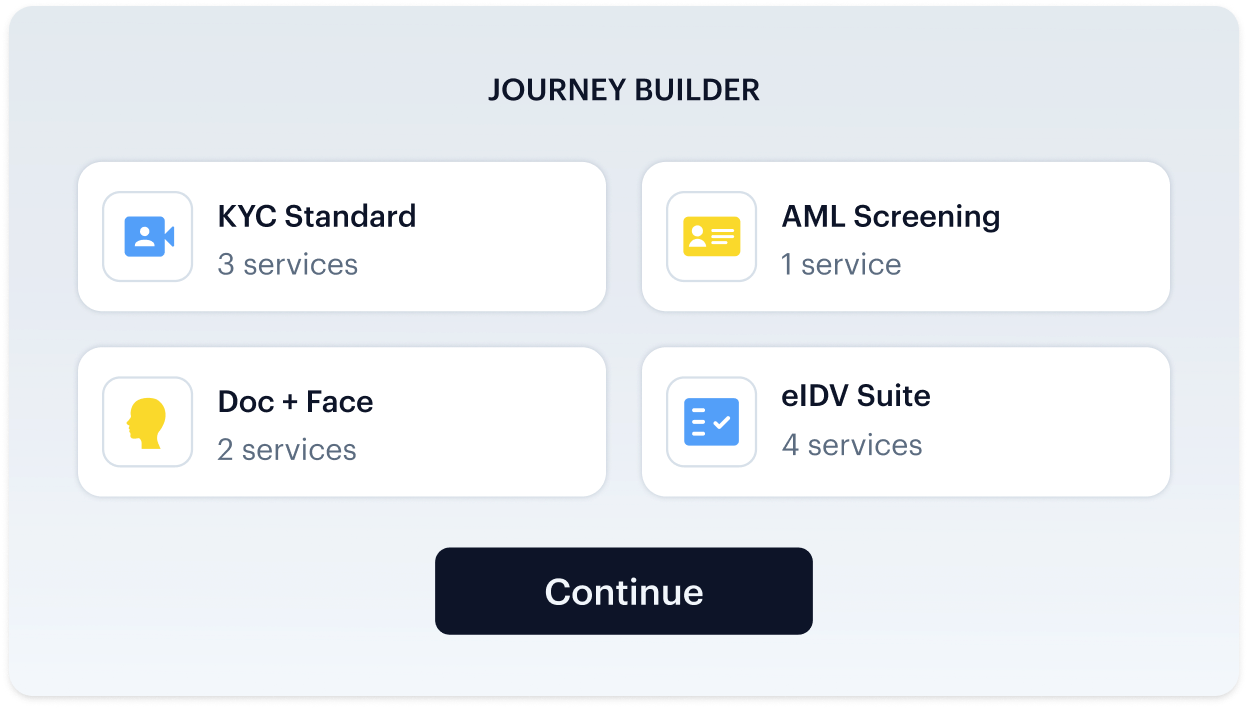
Open Journey Builder
access Journey Builder from the Shufti back office to open an existing journey or start one inside a project.
STEP 02
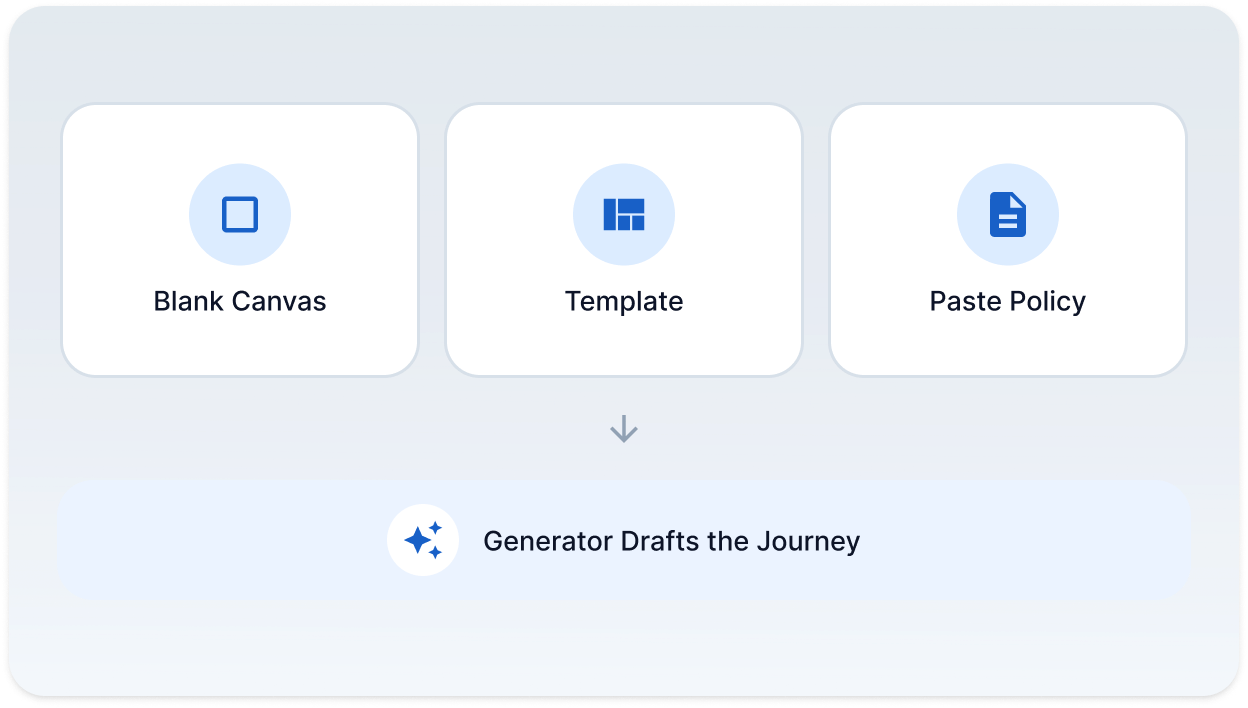
Start From Blank, Template, or Policy
STEP 03
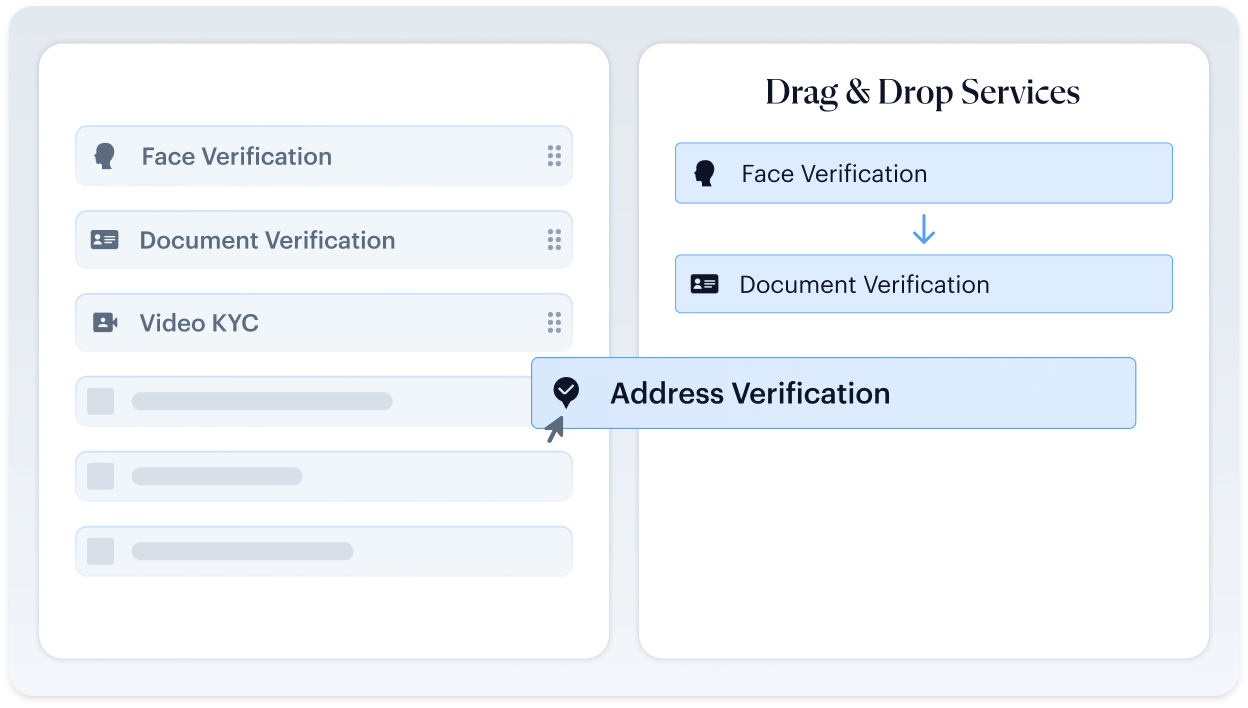
Add Services and Logic
STEP 04
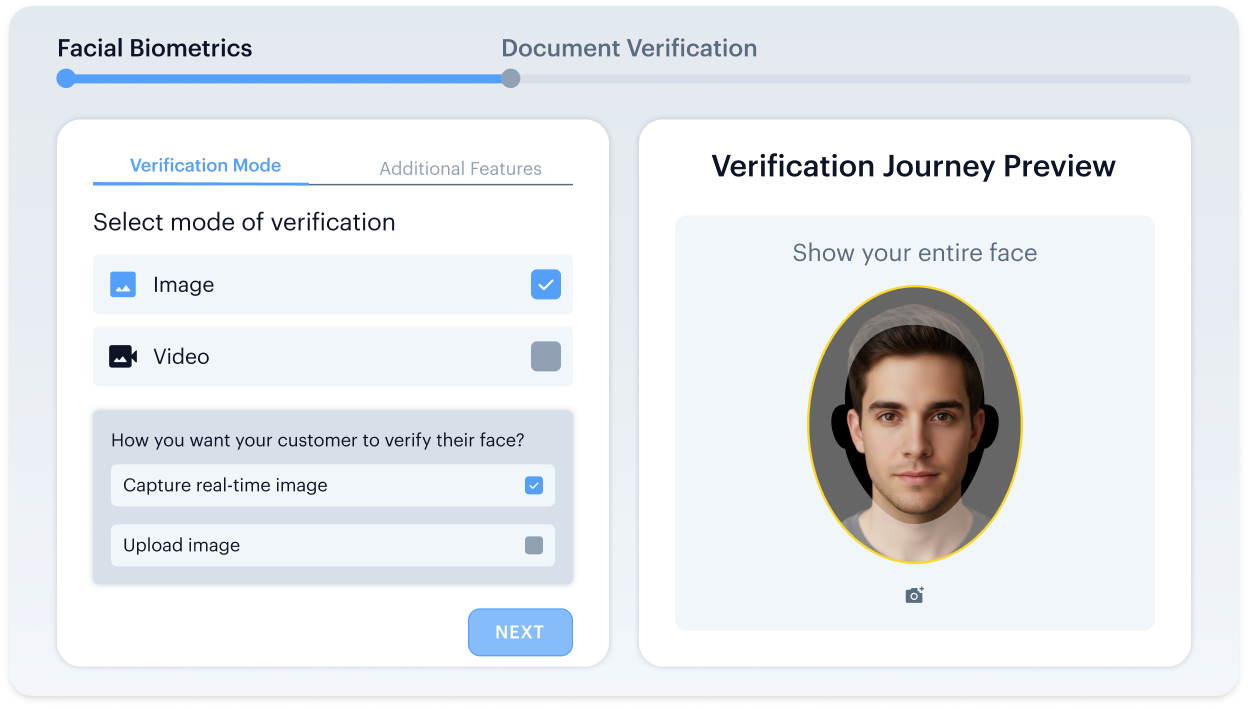
Preview and Validate
STEP 05
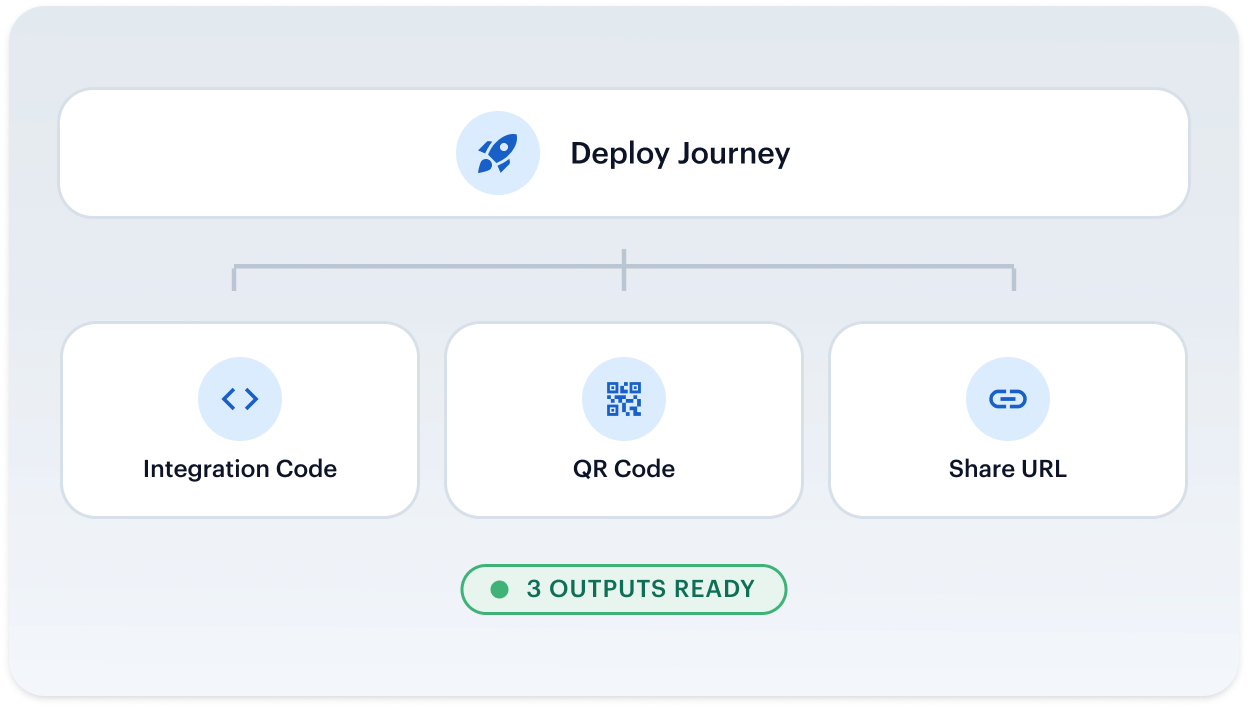
Deploy
Trust, built-in. From first verification to every future interaction
One Platform. Full Identity Lifecycle
User Verification
Onboard and authenticate legitimate users in seconds
Business Onboarding
Perform global KYB and due diligence with confidence
Authentication
Detect and block fraud at every touchpoint
monitoring & Compliance
Proactively manage risk and maintain regulatory compliance
User Verification
Onboard and authenticate legitimate users in seconds.


Face Verification

Confirm user identity and prevent spoofing with advanced 3D liveness detection and face verification.

Address Verification
Instantly confirm a user's address from utility bills, bank statements, and other documents against global database.

Document Verification
Instantly verify government-issued identity documents from 240+ regions actively processed.

Age Verification
Reliably verify user age to meet regulatory requirements and protect your platform.

VideoIdent
Conduct real-time, agent-led identity verification through live video interviews for high-assurance KYC.


eIDV
Confirm user details against trusted government and financial data sources for added confidence.

NFC Verification
Read the secure chip in a passport with a simple phone tap for the highest identity assurance.

Consent Verification
Capture clear proof that your users agree to be verified, building trust and ensuring compliance.
Business Onboarding
Perform global KYB and due diligence with confidence

Business Verification
Automate the verification of business entities by checking data from global corporate registries.

Due Diligence
Streamline your enhanced due diligence process with customizable risk assessment and data collection.

Investor Verification
Securely verify the identity and accreditation status of investors for your platform.

Authentication
Detect and block fraud at every touchpoint.


monitoring & Compliance
Proactively manage risk and maintain regulatory compliance with continuous user and transaction monitoring.

AML Screening
Screen users and businesses against global sanctions, PEPs, and adverse media watchlists in real-time.

User Risk Assessment
Generate dynamic risk scores for every user based on their profile, behavior, and transaction history.

Transaction Monitoring
Monitor financial transactions in real-time to detect and block illicit or fraudulent activity.
Industry Playbook
Verification Journeys That Meet Your Industry's Standards
Confirm Age and Identity at Signup
Verify the seller is real at onboarding, then prevent re-joins with duplicate detection and optional 1:N matching across the marketplace.

Don’t just take our word for it, hear from our customers
The Confidence Our Clients Share

The future of digital identity is defined by trust, interoperability, and regulatory alignment, so our partnership with Shufti reinforces DevCode Identity’s commitment to supporting our global customers with the most secure, best-in-class, compliant identity verification solutions available today.
Combining our Conversion Driven Compliance Orchestration Platform with Shufti’s global KYC and IDV capabilities allows our customers not only to navigate complex regulatory demands but also to maintain a seamless customer onboarding experience with the highest achievable conversion rates.
We’re proud to continue our partnership with Shufti as we expand into new jurisdictions.
Shufti’s verification technology not only strengthens our compliance framework but also ensures our players enjoy a smooth, secure onboarding experience.
We aim to offer our clients and their traders the very best tools with which to do their jobs, we’re excited to be able to work with Shufti.
They’re a leading company, and we’re looking forward to offering their solutions to our clients through our CRM.
The relationship with Shufti was born out of frustration with an existing provider, so we started our discussion with Shufti.
The response time was excellent, from the start of speaking to sales to getting up and running with the demo.
Industry Recognition & Awards

TOP 10 KYC SOLUTION PROVIDER 2023
GRC Outlook

BEST USE OF TECHNOLOGY IN ID VERIFICATION
Global brands magazine
FASTEST GROWING KYC SOLUTIONS PROVIDER
Global brands magazine

TOP PERFORMER IDENTITY VERIFICATION SOFTWARE SUMMER 2023
Featured Customers
EXCELLENCE IN IDENTITY VERIFICATION SOLUTIONS
Global brands magazine

BEST CLIENT ONBOARDING SOLUTION - MEA
Ultimate Fintech
BEST REGTECH REPORTING SOLUTION - MEA
Ultimate Fintech
BEST CLIENT ONBOARDING SOLUTION UFAWARDS 2022
Frequently Asked Questions
Can a journey branch on the result of a check?
Yes. Condition nodes read any datapoint in the journey record and route applicants down separate paths. Every fork includes a catch-all branch, so no applicant is left unhandled.
How does a journey decide between approve, decline, and review?
Conditions branch on result and category datapoints, and each path ends in a defined outcome: Approved, Declined, or Manual Review. Journey-level rules control retries and how a single declined step is handled.
Can a written policy be turned into a journey?
Yes. Paste a compliance policy and the generator drafts the journey using approved services, datapoints, and operators. A deterministic validator checks the draft before it can run.
Does the preview match what applicants actually see?
Yes. The dry-run preview runs the same logic as the live engine, so the tested flow and the deployed flow behave the same. A journey is validated before its integration snippet is generated.
What actions can run inside a journey without asking the applicant?
Blocklisting, marking a record inactive, tagging a case, sending a webhook to a downstream system, and holding the flow with a wait step. These run in the background as the journey executes.
What is the difference between onsite and offsite hosting?
Onsite means Shufti hosts the applicant-facing flow; offsite means your platform does. The setting is chosen per firm and governs which services and nodes are available.
How is a journey delivered to end users?
Three ways: embedded integration through Auto Code Generator output, a QR code generated from the canvas, or a custom company-name URL shared with the user.
Can different products or markets run different journeys?
Yes. Journeys live inside Projects, and multiple journeys run in parallel, so different segments, products, or markets each run their own flow without code-level segmentation.
Open Your First Verification Journey
Add services onto the board, configure conditional flows, and generate deployment-ready code or a QR in minutes, no engineering required.
Your Go-To for KYC/AML & Fraud
Resources
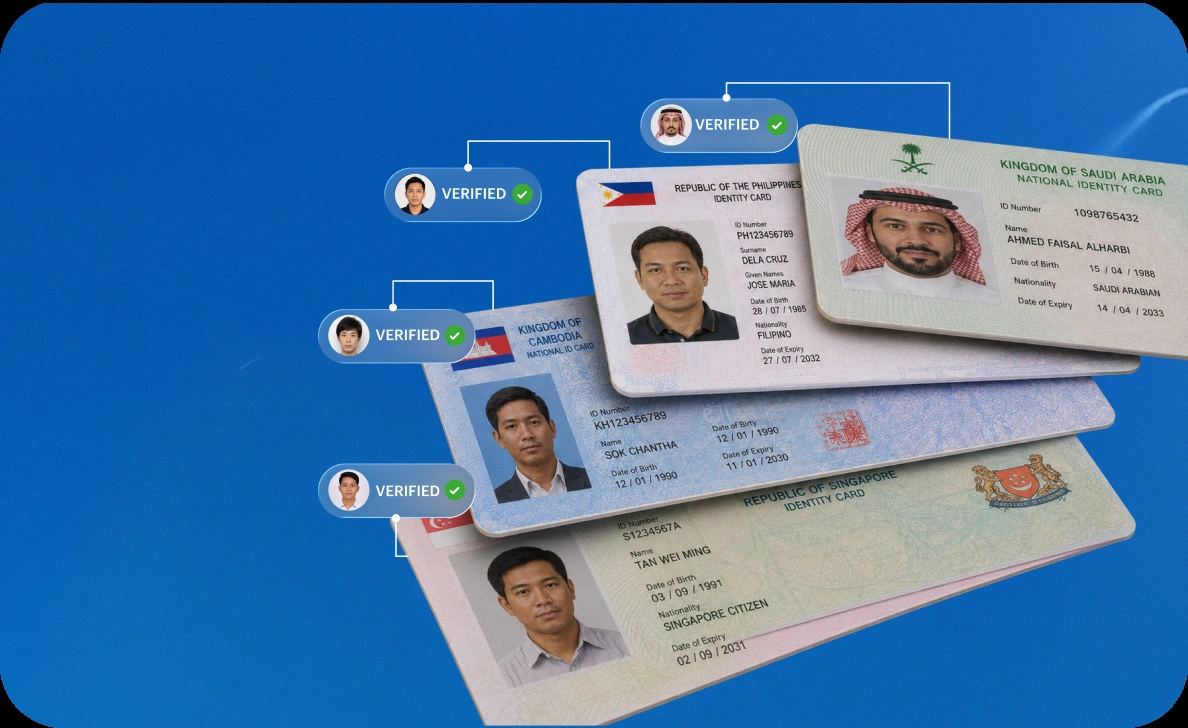
11 August, 2026
Customizable KYC Solution for KYC Product Owners
Product teams stall waiting on vendor change requests. Shows how configurable KYC lets you adjust flows to what compliance asks for, without waiting on a release.
Guide