




 Face Verification
 Address Verification
 Document Verification
 Age Verification
 VideoIdent
 Fast ID
 Docless Verification
 Consent Verification
 NFC Verification
 Business Verification
 Due Diligence
 Investor Verification
 E-Signature

 QES
QES
 AML Screening
 Transaction Monitoring
 Adverse Media
 Business AML Screening
 PEP & RCA
 Sanctions
 Watchlist
 Behavioural Biometrics
 Device Fingerprinting
 Biometric Face Authentication
 MFA
MFA
 Fraud Hub
 Onboarding
 Ongoing Monitoring
 KYC
KYC
 KYB
KYB
 KYI
KYI
 Age Assurance
 Identity Verification
 Workforce IAM
 Candidate Verification
 Compliance
 Fraud prevention
 Trust & safety
 Global expansion
 Product Managers
 Compliance Officers
 Fraud Analysts
 Developers
 Deepfake Detection
 Bonus Abuse / Promotion Abuse
 Account Takeover
 Synthetic Identity Fraud
 Document Fraud
 Impersonation Fraud
 Multi-Accounting
 Fraud Networks
 Chargeback Fraud
 Money Mule Activity
 Party Fraud
 Regulatory & Compliance Risks
 Fintech
 Crypto
 iGaming
 Forex
Forex
 Social Network
 Marketplace
 Banking
 Gig Economy
 Payments
 Ride Hailing
 Adult Content
 Blind Spot Audit
 Deepfake Detector
 Liveness Spoofs
 Document Originality
 Document Deepfake
 Global Trust Platform
 Journey Builder
 Case Management
 Shufti AI
 Fraud Analytics
 Vendor Comparison
 Brand Personalisation
 AI Compliance Co-Pilot
 OCR
OCR
 Secure Capture
 Deployment Options
 Identity Methods
 API Documentation
 Mobile SDKs
 Service Status
 Help Center
 Contact Us
 Technical Support
 Supported Documents
 Supported Countries

 Content library
 Blogs
Blogs
 News
News
 Reports
 Insights
 Knowledgebase
 ROI calculator
 About
About
 Career
 Press Release
 Certifications
 Partnership
 Awards
 Events & Webinar
 Interactive Demo
 Podcast Studio
 Spotlight Studio

Identity Verification API: What It Is, How It Works, and How to Integrate It

A manual document review queue can hold up an onboarding flow for hours. Financial services companies and fintech platforms that have moved to automated verification report faster decisions and lower drop-off rates at the identity step. Getting there requires understanding what an identity verification API actually does under the hood, not just what a vendor’s homepage promises.
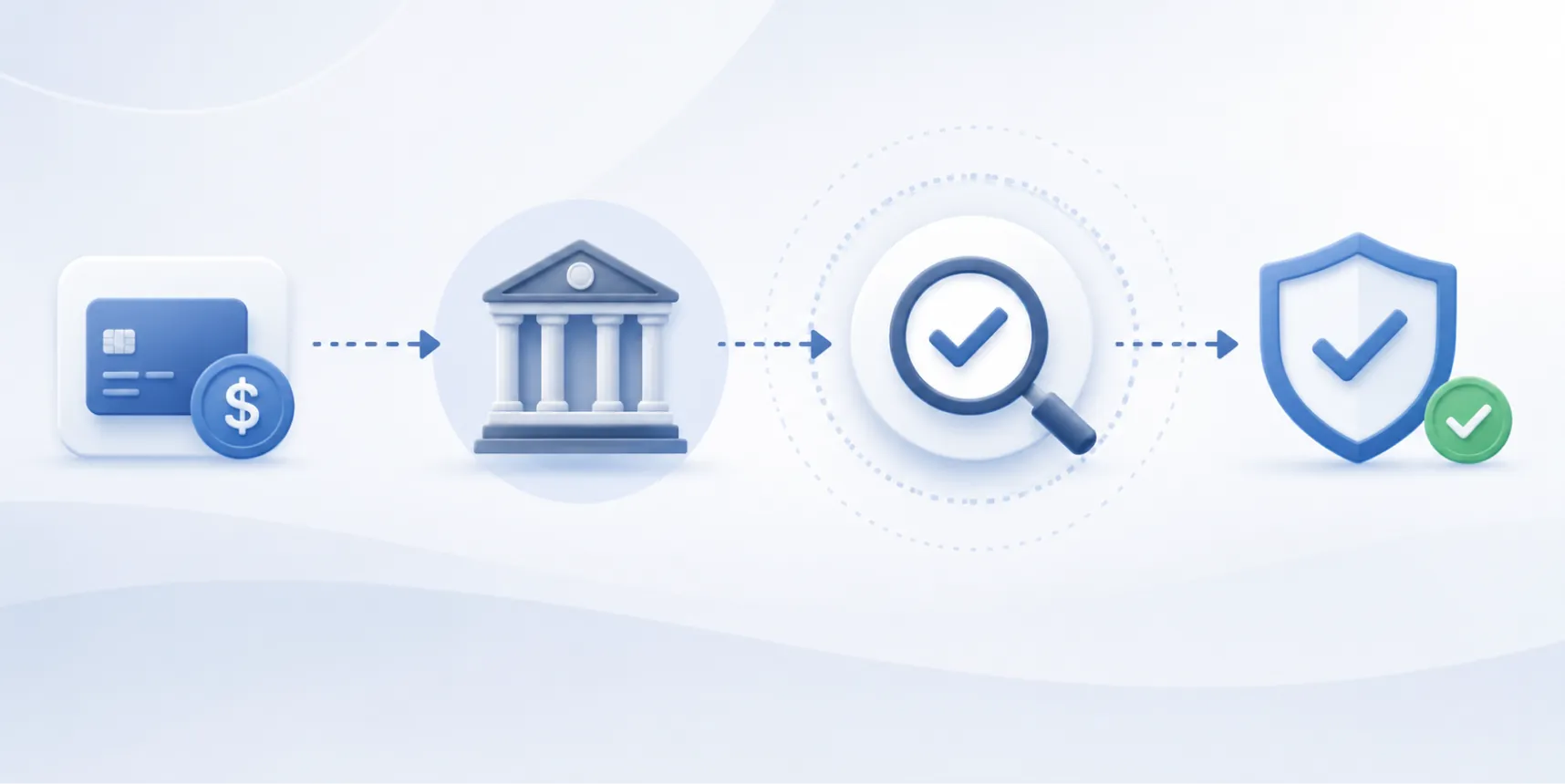
An identity verification API is a programmable interface that connects your application to a remote verification engine. It accepts identity data (document images, biometric scans, or structured fields), runs checks against forensic document models and biometric classifiers, and returns a structured decision your system can act on in the same session.
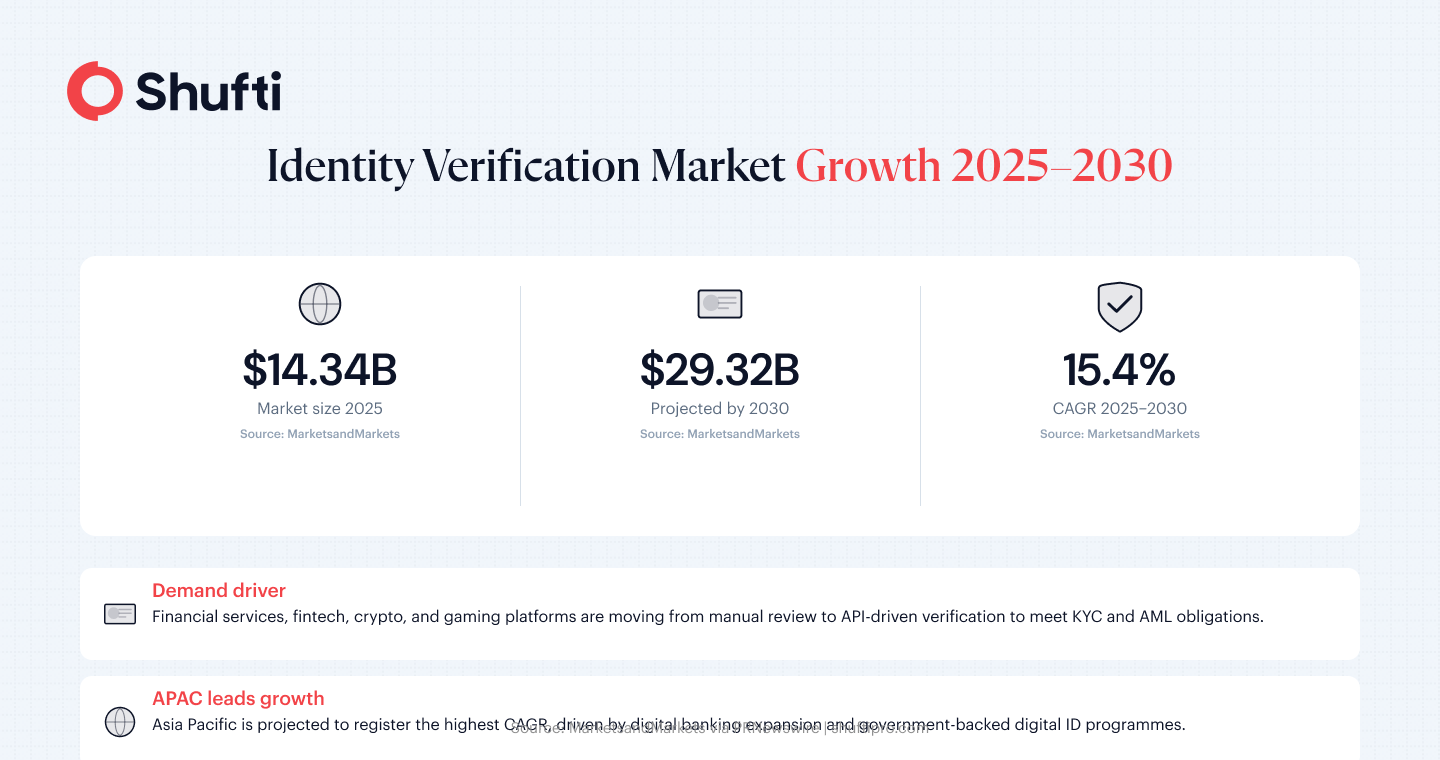
The identity verification market is projected to reach USD 29.32 billion by 2030, up from USD 14.34 billion in 2025, at a compound annual growth rate of 15.4%, according to MarketsandMarkets. That growth tracks a broad shift away from manual review toward API-driven verification flows across banking, fintech, crypto, and gaming. This guide covers what an identity verification API is, how each stage of the pipeline works, why businesses are adopting these systems now, and what to do before your integration goes live.
What is an identity verification API?
An identity verification API is the connection layer between your product and a third-party verification engine. Your application sends a payload (a document image, a selfie, or both), and the API returns a pass, fail, or refer result along with extracted data fields and confidence scores.
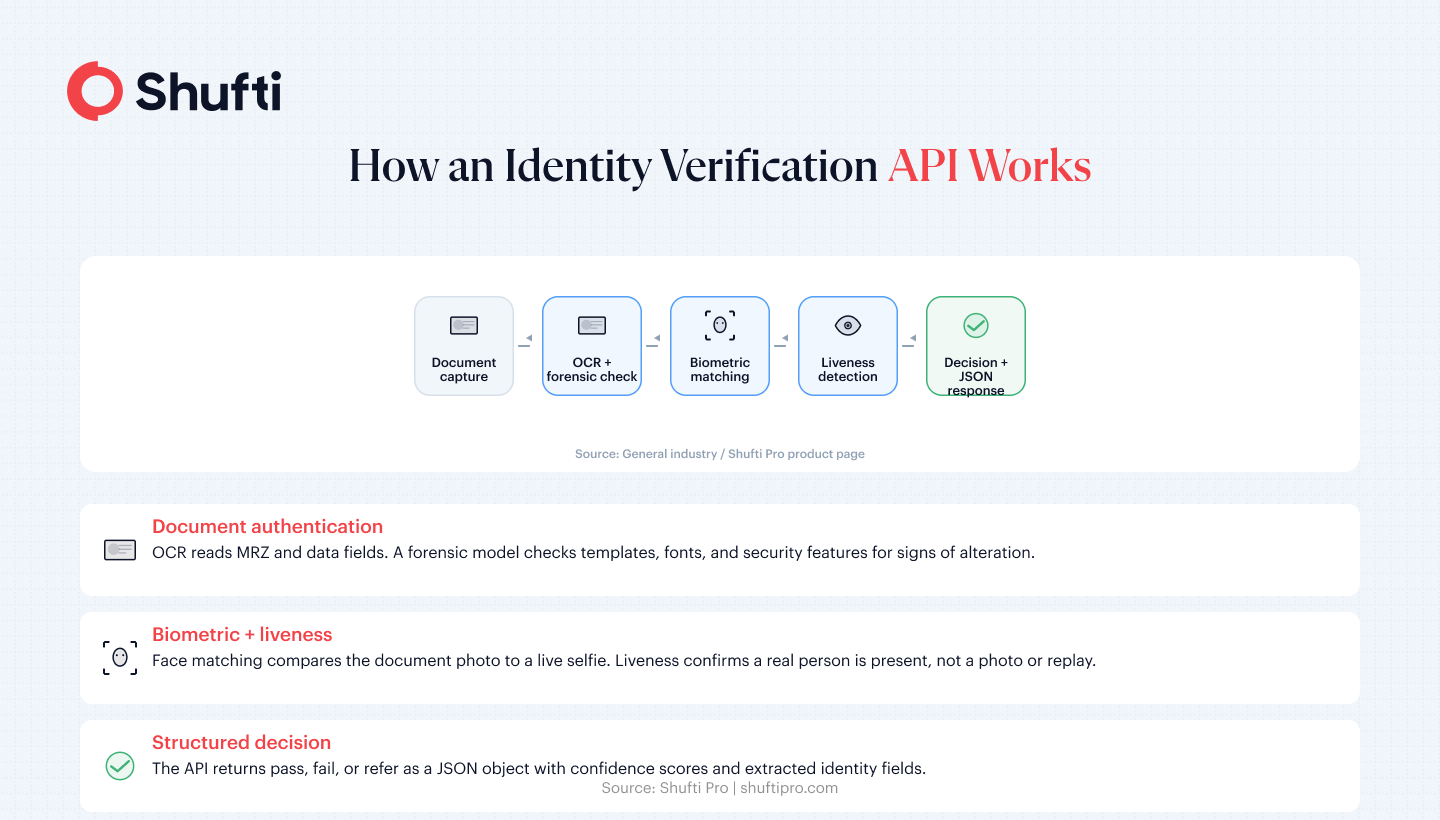
The API handles three sequential jobs: document authentication (is this document real and unaltered?), data extraction (what identity fields does it contain?), and identity correlation (does the face in the document match the person presenting it right now?). Most current implementations bundle all three into a single API call and return the complete result within seconds.
A document-and-biometric check confirms an identity at the moment of onboarding. It does not confirm whether that person has been flagged on a sanctions watchlist or whether they have registered multiple accounts under different names. Production identity verification flows typically chain this API call with AML screening and duplicate detection, using the verification decision as the trigger for those downstream checks rather than running them independently.
Benefits of Identity Verification APIs
Faster Onboarding
Automated verification returns a decision in seconds rather than hours. Users move through identity checks within the same session, eliminating the waiting period that stalls traditional manual review workflows and gets them to your product faster.
Reduced Fraud
Forensic document authentication and biometric liveness detection work together to catch altered documents, spoofed selfies, and synthetic identity attempts at the point of entry before a fraudulent account reaches your platform.
Better Compliance
A well-integrated API generates a structured, timestamped audit trail for every verification event. This supports KYC and AML obligations without adding manual documentation overhead, and holds up to regulatory scrutiny across multiple jurisdictions.
Lower Drop-Off Rates
Every minute a user spends waiting for identity confirmation is a window for them to abandon the flow. Moving verification into the live session with a result before the user exits the screen directly reduces the drop-off that accumulates during asynchronous review queues.
API vs. SDK: what’s the difference?
An API is a server-to-server integration. Your backend sends a verification request, the remote engine processes it, and returns a structured response. An SDK is a client-side library you embed in your mobile app or web frontend.
The SDK’s job is auto-capture: prompting users to position their document correctly, detecting glare and blur, and triggering the image capture when quality meets the required threshold. Captured assets are then passed to the backend API for verification. Most production integrations use both components together. A provider that delivers an API without an SDK passes the entire capture layer to your engineering team, and building reliable document capture from scratch is more time-intensive than it initially appears.
How an identity verification API works step by step
The process returns a result in seconds. Several distinct stages run in sequence to reach that decision.
Document capture and extraction
The user photographs or uploads a government-issued ID. The API’s OCR engine reads the document’s machine-readable zone (MRZ) and all visible data fields. A forensic model checks whether the document matches a known template for its issuing country, whether fonts, layouts, and security features are internally consistent, and whether any fields appear digitally altered or spliced. Documents that fail any of these checks are flagged before a biometric comparison runs.
Biometric matching and liveness detection
The user submits a selfie or a short video clip. The verification engine compares the face in the document photo to the live image and returns a match confidence score. A liveness model confirms the image comes from a real person present at the time of capture, rather than a printed photograph, a screen replay, or a synthetically generated face. Enterprise flows typically run passive liveness (no user action needed) and active liveness (following a visual prompt) in parallel, with the active check reserved for higher-risk transaction types.
Automated decisioning
Once document and biometric checks are complete, the API assembles a decision object. That object contains the extracted identity fields, confidence scores for each check, any specific failure reasons, and an overall pass/fail/refer result. Your system receives the response as structured JSON and routes the user accordingly. A refer result sends the case to a human review queue without pausing other onboarding traffic.
Why businesses are moving to identity verification APIs
The shift is driven by two pressures operating in parallel: regulatory obligations that now require documented digital verification, and the direct conversion cost of slow onboarding.
Compliance requirements have changed the baseline
Financial services, fintech, crypto, and gaming platforms are subject to KYC and AML frameworks that require customer identity verification at onboarding and, in many markets, at periodic intervals or when account behaviour changes. FATF guidance on digital identity has established that API-driven, non-face-to-face verification now carries the same standing as in-person checks when verification controls meet defined assurance levels. For businesses previously running paper-based or manual review workflows, a well-integrated KYC API creates an auditable trail without adding operational overhead.
Manual queues are a conversion problem, not just an efficiency one
A 24-hour verification turnaround does not just add latency. It is a drop-off event. Applicants that reach an onboarding flow and encounter a waiting period leave at rates that compound over traffic volume. A unified identity verification API moves the checkout out of the queue and into the live session, returning a decision before the user exits the screen. The market trajectory reflects how broadly this logic has been accepted: the operational cost of delays now outweighs the integration effort, even at early-stage companies.
How to integrate an identity verification API
The API integration itself is straightforward. The decisions that shape the outcome come before the first line of code is written.
Choose your deployment model before you scope
Most providers offer cloud, on-premises, and hybrid deployments over the same API surface. Cloud gets you the shortest path to production. On-premises keeps identity data inside your own infrastructure, which is often required for data sovereignty obligations in the EU, the Middle East, and parts of APAC. Hybrid runs the capture and liveness model locally while routing only the decisioning request to the cloud.
Your deployment choice affects the data processing agreement, latency expectations, and contract structure. Changing models mid-integration adds scope and cost. The identity verification integration guide covers how each model fits different compliance environments. Decide before scoping.
Test with real documents before going live
Synthetic test data and staging environments have a documented gap with production traffic. Testing against a sample of real documents from the countries your users actually come from surfaces OCR errors, template mismatches, and capture-quality edge cases that synthetic inputs miss. Most providers offer a sandbox with a demo mode for pre-production testing.
A phased rollout that begins with a controlled percentage of live traffic lets you identify edge cases at low risk. Watch for document types that consistently produce refer results, and tune your capture configuration before broadening the rollout.
Manual document queues, slow turnaround times, and inconsistent verification outcomes are integration problems that compound as onboarding volumes grow. Shufti’s identity verification API covers document authentication, biometric matching, and liveness detection through a single endpoint, with cloud, on-premises, and hybrid deployment options supporting 10,000+ document types across 230+ countries. Request a demo to see the full verification pipeline running on your own document types and deployment scenario.