AMLR Solutions
 AMLR Consultation
 Onboarding
 Ongoing Monitoring
 FRAML
FRAML KYC
KYC KYB
KYB KYI
KYI Age Assurance
 Workforce IAM
 Candidate Verification
 Account Takeover
 Bonus/ Promotion Abuse
 Chargeback Fraud
 Deepfake
 Document Fraud
 Fraud Networks
 Impersonation Fraud
 Money Mule Activity
 Multi-Accounting
 Party Fraud
 Regulatory & Compliance Risks
 Synthetic Identity Fraud
 Adult Content
 Banking
 Crypto
 Fintech
 Forex
Forex Compliance
 Fraud prevention
 Trust & safety
 Global expansion
 Compliance Officers
 Developers
 Fraud Analysts
 Product Managers
 Advanced Journey Builder (AJB)
 Global Trust Platform
 Customer Profiles
 Vendor Comparison
 IDV Case Management
 AML Case Management
 Regulatory Reporting
 Travel Rule Protocols
 Agentic Rule Builder
 AI Compliance Co-Pilot
 Fraud Analytics
 Fraud Hub
 OCR
OCR Shufti AI
 Bank Account Verification
 Biometric Duplication
 Database Checks
 Document Intelligence
 Government ID
 Mobile Driver's License
 NFC
NFC Selfie Liveness
 Brand Personalisation
 Deployment Options
 Identity Methods
 IDV Modes
 Multi-tenancy
 On-Premise IDV
 Secure Capture













Your compliance team signs off on a verification flow that passes every internal test. Two weeks after launch, the support queue fills up: a 68-year-old applicant can’t get her driver’s license photo accepted, a software engineer in Lagos is stuck because the system won’t read his Arabic-script national ID, and your conversion dashboard shows 42% of new applicants dropping off somewhere between “upload ID” and “take a selfie.”
This is the reality of online document verification at scale. The technology works in the lab, then meets the full mess of real users, real devices, and real identity documents from 240+ countries. The cracks show up in your approval rate, your support queue, and your compliance audit.
This piece is for compliance and product teams building remote onboarding flows that need to hold up across borders, devices, and demographics. We’ll cover what goes wrong during document verification for remote onboarding, what the regulators actually require, and how to stop your verification funnel from leaking customers you already paid to acquire.
What online document verification actually does
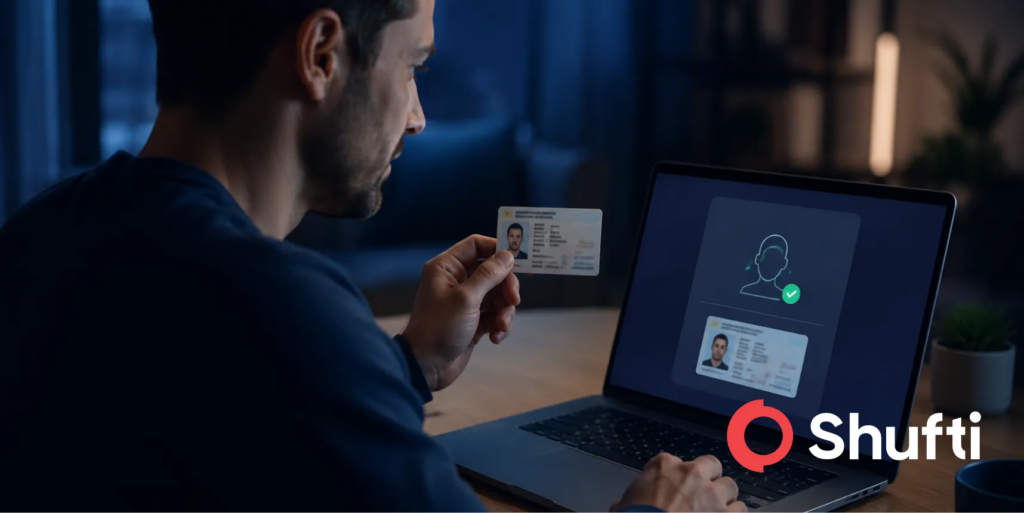
Online document verification is the automated process of confirming that an ID document (a passport, driver’s license, national ID, residence permit) is genuine, unaltered, and belongs to the person presenting it. A production-grade system does three things in parallel. It authenticates the document itself through hologram checks, MRZ validation, and chip reads where available. It extracts structured data via OCR. It matches that data and photo to a live selfie using biometric and liveness checks.
What separates a working deployment from a demo is how it handles edge cases: a crinkled Turkish ID in low light, a Japanese driver’s license held at an angle, a Nigerian passport with glare from an overhead bulb. That is where most systems fall over.
Cross-border challenges: accepting non-native language documents
If you onboard users outside your home market, your document verification system has to read scripts it was not built for. Latin script alone covers maybe 40% of the world’s identity documents. The rest is in Arabic, Cyrillic, Chinese, Japanese, Korean, Thai, Devanagari, Hebrew, Greek, and within each of those, regional variants that look similar but fail if treated as interchangeable.
Three things typically break. First, OCR engines trained mainly on English data misread characters in Arabic or Mandarin IDs, which corrupts the extracted name and date of birth. Second, MRZ parsing on passports is standardised (ICAO 9303), but the document body is not, so if your system depends on matching body fields to MRZ fields, it fails on legitimate passports that use non-Latin body scripts. Third, many emerging-market documents use local date formats (Saka, Hijri, Buddhist calendars) that break validation rules written around the Gregorian calendar.
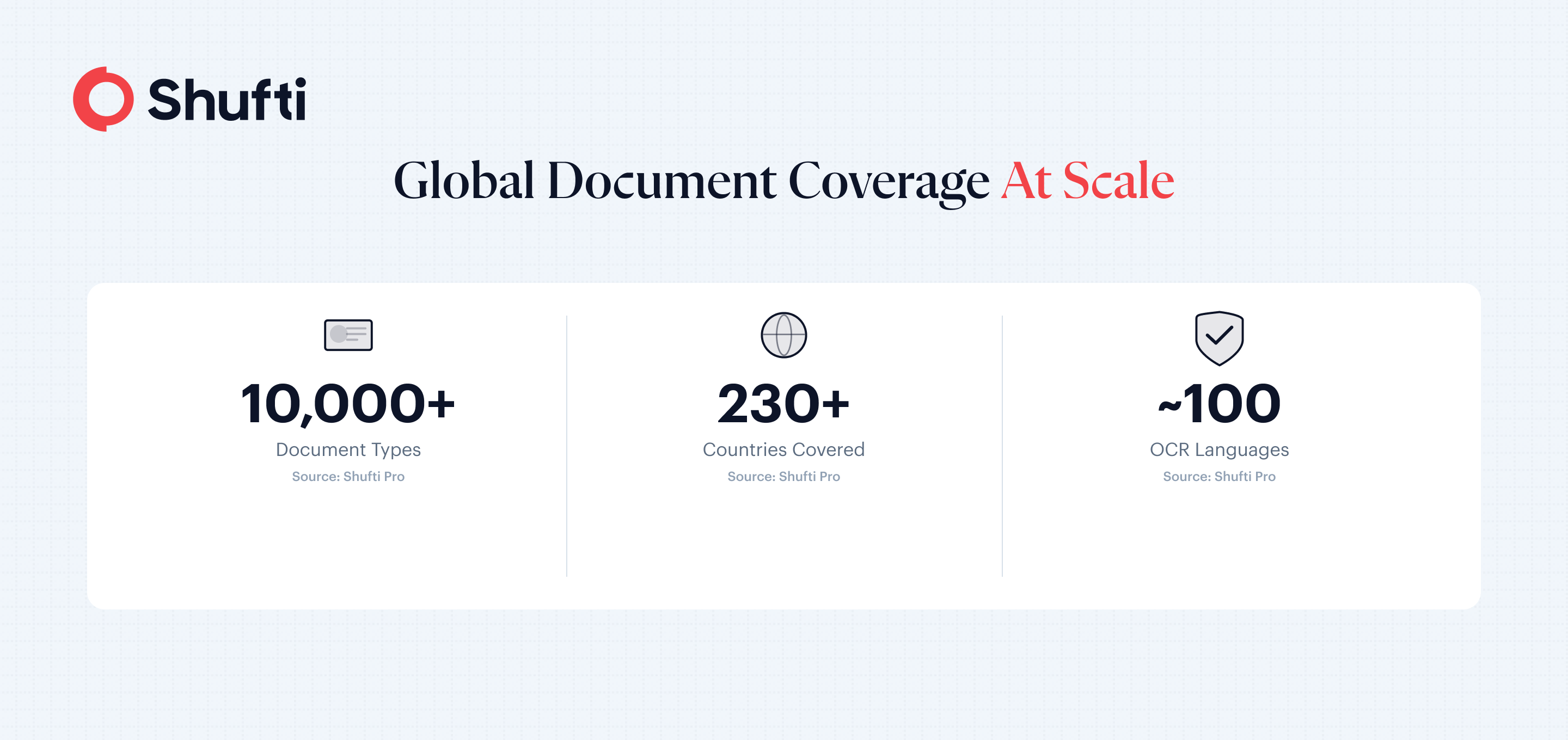
Shufti’s engine supports roughly 100 OCR languages and 10,000+ document types across 240+ countries, with native transliteration so an Arabic name on a passport maps correctly to the Latin-script name in your CRM. If you are building cross-border onboarding under eIDAS 2.0 or any FATF-aligned regime, script coverage is the baseline, not a nice-to-have.
Accessibility: elderly users and low-quality device cameras
Accessibility is where a verification flow that looked great in QA turns into a support nightmare. Three populations get hit hardest: older users with unsteady hands and older phones, users in low-bandwidth regions, and users with visual or motor impairments.
The failures are predictable once you look for them. Older users hold the document too close, so the edges crop out and the system rejects the image for “incomplete capture.” Low-end Android cameras produce images under 1 megapixel with heavy JPEG compression, which wrecks OCR accuracy. Anti-glare guidance on the screen (“move the document to remove reflection”) assumes users can see and interpret live feedback, which excludes anyone with low vision or reading difficulties.
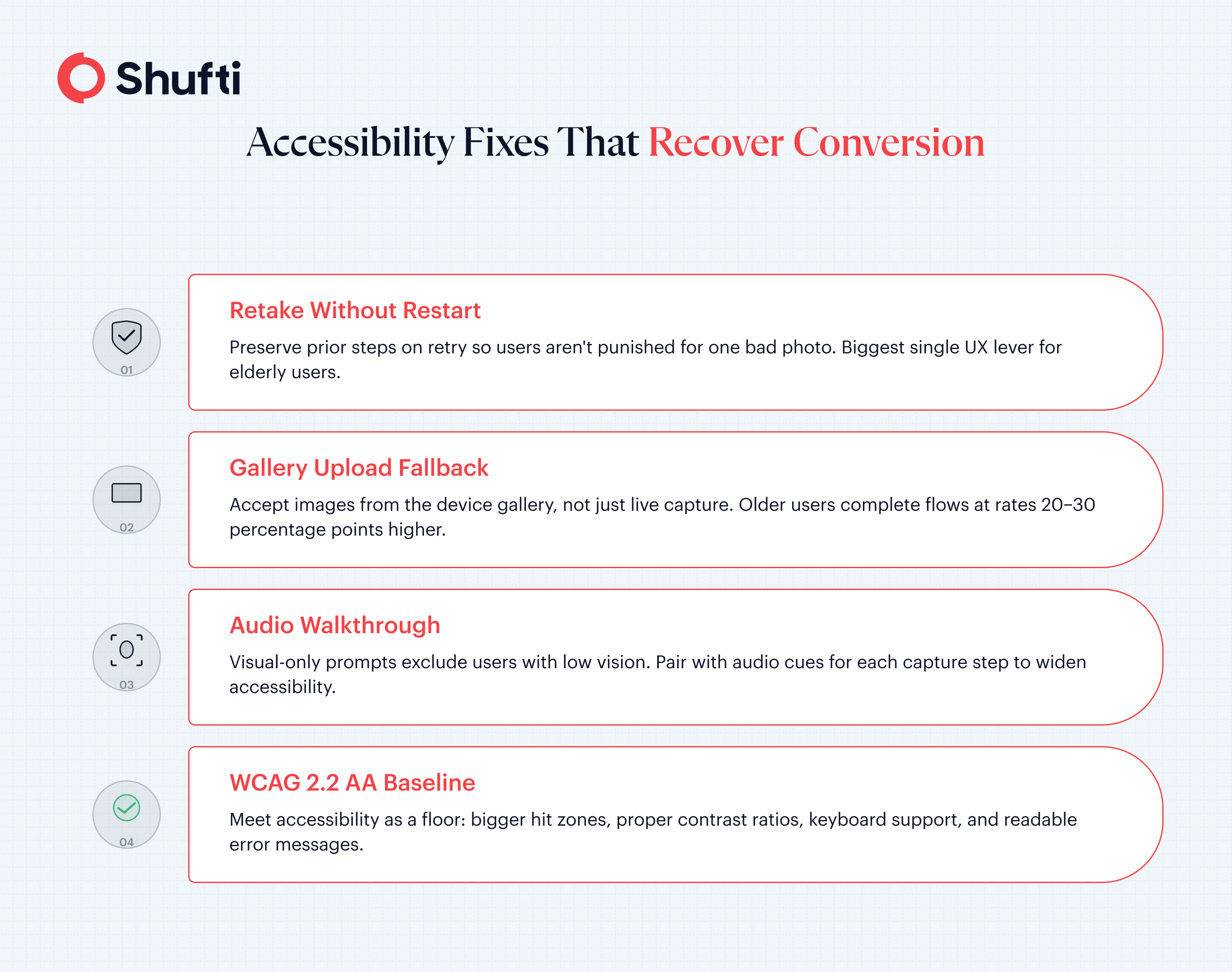
Fixes that actually move the needle: let users retake without restarting the flow, accept images down to 300 DPI instead of rejecting anything under HD, offer an audio walkthrough alongside visual prompts, and meet WCAG 2.2 AA as a floor rather than a ceiling. If your system allows document upload from gallery, not only live capture, your older users will complete the flow at rates 20–30 percentage points higher.
Drop-off analysis: where remote verification funnels leak
Most teams look at overall conversion and miss the leaks. You have to break the funnel into discrete steps and measure abandonment at each one.
A typical remote onboarding funnel looks like this: applicant reaches ID upload screen, captures the front of the document, captures the back, captures a selfie, passes liveness, then hits final review. The leaks tend to concentrate in three spots.
Front-side capture is known to be the biggest leak. Common causes: too-strict edge detection, no retry guidance, unclear error messages (“blurry image” with no indication of what to do next).
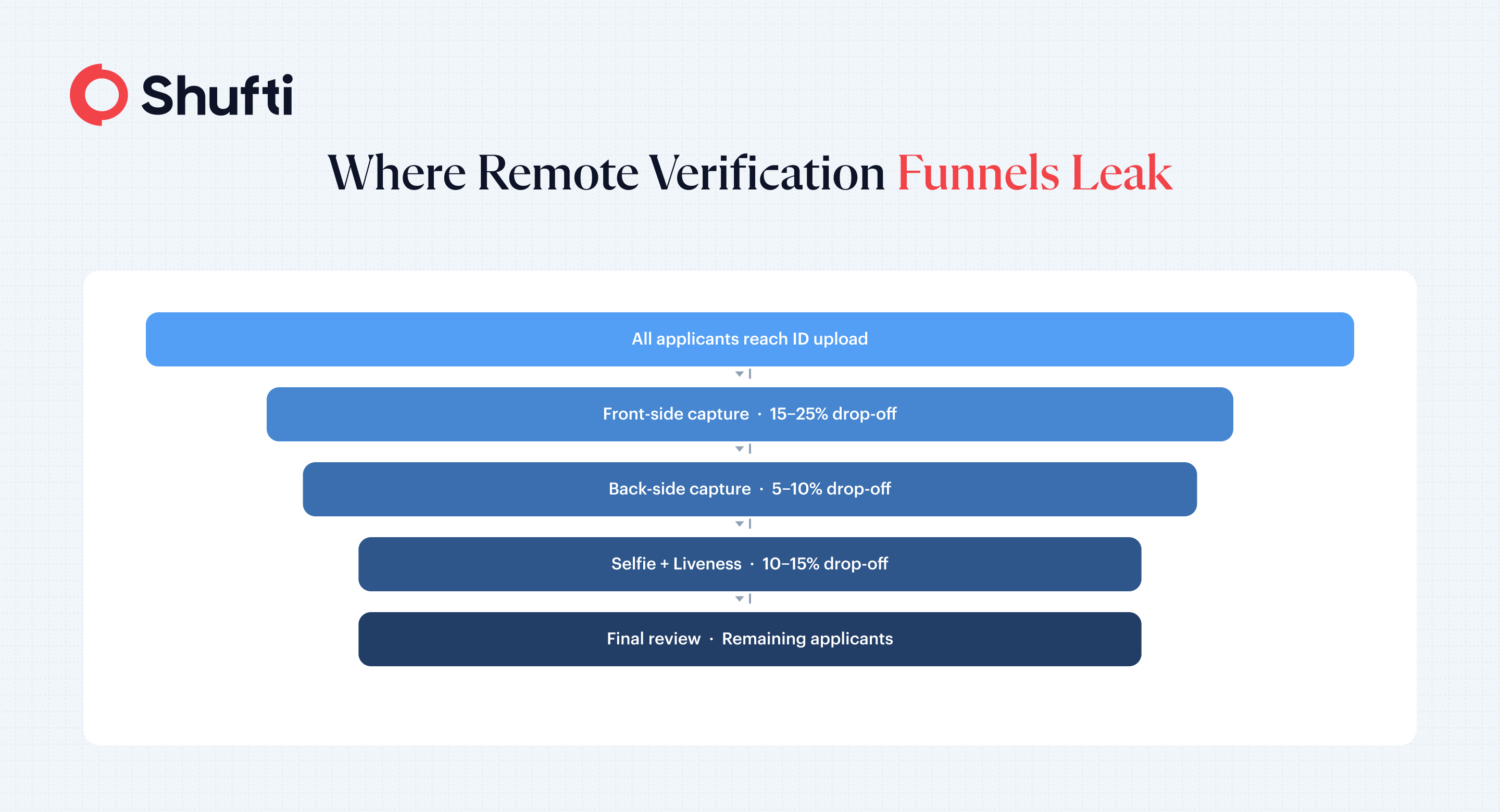
Back-side capture also sees a drop, often because users assume the flow is done after the front and close the window. The fix is a persistent progress bar and a one-line preview of what is next.
The liveness check loses another approximate 10–15%, driven by users thinking the selfie step is optional, confused instructions (active head movements vs. passive liveness), or timeout windows that are too short for older phones. These numbers reflect a general industry pattern that practitioners commonly observe and discuss
The highest-impact fixes are not technical. They are UX. Tell the user up front that this takes 60 seconds and requires their ID. Show a progress bar. Preserve work on retry. Allow a fallback to a human-assisted path such as VideoIdent for users who fail twice. Teams that instrument their funnel at this level of granularity typically recover 10–15 percentage points of conversion within a quarter.
What makes online verification legally valid
Regulators do not certify specific vendors. They define what a compliant process has to do. Under the FATF Digital Identity Guidance and the US FinCEN Customer Identification Program rule, a remote verification flow is legally valid when it (1) reliably identifies the customer using a government-issued document or a trusted equivalent, (2) includes anti-impersonation controls such as liveness detection, (3) produces a tamper-evident audit trail, and (4) applies ongoing monitoring after onboarding.
In the EU, eIDAS 2.0 adds the European Digital Identity Wallet as a recognised verification channel. In the UK, the DIATF (Digital Identity and Attributes Trust Framework) certifies providers. In the US, NIST SP 800-63-3 sets the identity assurance levels.
The technical bar to hold your vendor to: iBeta Level 1 and Level 2 and iBeta level 3 certification for liveness, ISO 27001 for information security, and documented bias testing across age and skin tone. Without those, your audit defence is weak.
How Shufti Solves Real-World Challenges as a Remote Document Verification Platform
If your remote onboarding funnel is leaking, the first step is instrumenting the drop-off. The second is matching your tooling to your actual user base: the ones struggling on a 720p camera with an Arabic-script ID, not just the ones on iPhones holding a UK passport. See how Shufti’s Document Verification handles these cases across 240+ countries and 10,000+ document types.
Frequently Asked Questions
Can I verify customer documents completely online?
Yes, for most customer types and jurisdictions. FATF, FinCEN, and EU regulators all accept remote, document-based verification when paired with liveness detection and audit logging. A small set of high-risk use cases (some EU gambling licences, certain DACH banking products) still require attended video verification, which is why most regulated firms run a parallel VideoIdent path for those cases.
How do I verify documents from overseas customers online?
Use a verification system with broad document coverage (ideally 10,000+ document types across 240+ countries), multi-language OCR including non-Latin scripts, and MRZ or NFC reading for passports. Map each country to the correct document list so a British applicant isn't shown "driver's license" as the only option when a UK passport is more reliable.
How do I reduce drop-off during online document verification?
Measure each funnel step separately, set performance targets for each, and fix the worst leak first. The top three levers in most deployments are clearer error messages on failed capture, retry flows that preserve prior steps, and a human-assisted fallback for users who fail liveness twice.
What is liveness detection and why does remote verification need it?
Liveness detection confirms the person in front of the camera is a live human, not a photo, a video replay, a mask, or an AI-generated deepfake. Without it, document verification alone is trivially defeated by anyone who has a photo of their target. iBeta Level 2 certification is the industry benchmark for presentation attack detection.