















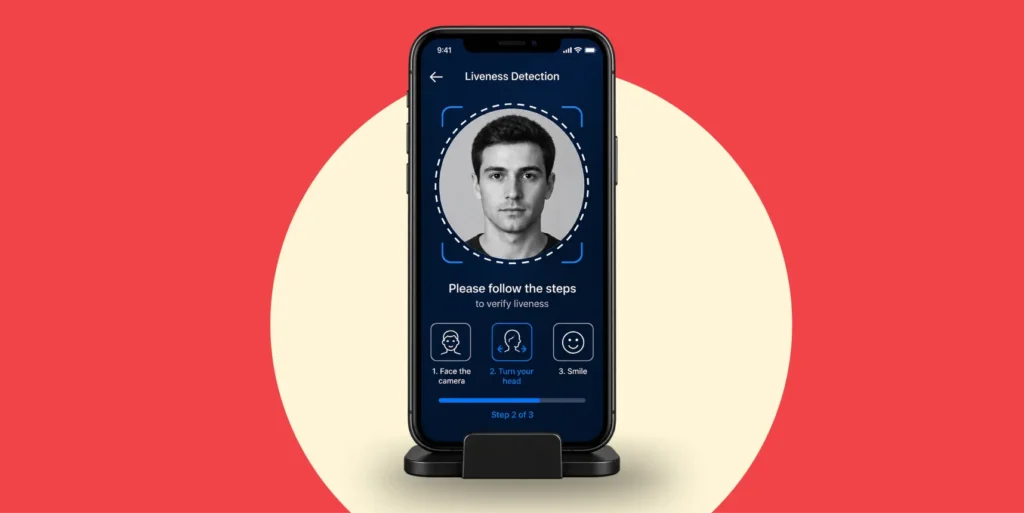

In November 2024, the Financial Crimes Enforcement Network (FinCEN) alerted US financial institutions to an increase in suspicious activity reports involving suspected deepfake media. FinCEN said these schemes often used altered or fabricated identity documents to bypass identity verification and authentication controls.
That warning shows why remote identity teams need to understand two related threats. If a fraudster holds a photograph, a screen, or a mask in front of a real camera, it is a presentation attack. However, if fabricated images are fed directly into the verification software, the attempt is an injection attack. Recognizing these routes helps teams feel more confident in deploying appropriate controls.
This guide explains the common types of presentation attacks, how PAD works, and what ISO/IEC 30107 testing can and cannot prove.
What is a presentation attack in biometric verification?
NIST defines a presentation attack as a presentation to the biometric capture subsystem that is intended to interfere with the biometric system. In simple terms, the attacker places something false in front of the sensor and tries to make it look genuine.
ISO/IEC 30107 uses the term presentation attack instrument, or PAI, for the artefact used in the attempt. In face verification, a PAI may be a printed photograph, a phone displaying a face, a replayed video, or a realistic mask.
The capture point creates an important boundary. A deepfake displayed on a phone and shown to a real camera is still a presentation attack because it reaches the system through the capture device. Meanwhile, a deepfake sent directly into the video stream through a virtual camera or compromised software skips that boundary. It is therefore an injection attack, as explained in this comparison of presentation and injection attacks.
Understanding this difference helps teams buy the right controls. PAD protects the capture point, while injection detection protects the integrity of the device, camera path, and data stream.
Why presentation attack detection matters during remote onboarding?
Remote onboarding allows a genuine customer to open an account without visiting a branch. However, the same convenience gives fraudsters a capture process they can test repeatedly with prints, screens, and masks.
FinCEN’s 2024 alert provides evidence of the wider risk. Its analysis found that criminals had used generative AI to create false documents, photographs, and videos, and that some had successfully opened accounts with suspected AI-generated identities. Those accounts were then used to receive or launder proceeds from other fraud schemes.
PAD helps stop this activity before a face is treated as genuine. It is especially relevant wherever facial biometrics are used for account opening, account recovery, or higher-risk authentication. However, PAD is not a complete identity control. Organisations still need document checks, biometric verification, device intelligence, injection protection, and ongoing fraud monitoring.
The direction of travel is also clear. NIST’s current Digital Identity Guidelines require US federal credential service providers to use PAD when collecting and comparing biometric characteristics remotely. The guidance is not a universal banking rule, but it is a useful benchmark because it also requires the tests to conform to ISO/IEC 30107-3:2023.
What are the most common types of presentation attacks?
Presentation attacks often overlap. For example, a deepfake can be displayed as a screen replay, while a mask can include printed or electronic parts. Therefore, fraud teams should focus on how the fake reaches the camera and which signals the detector can examine.
| Attack route | Typical presentation attack instrument | Why can it fool a weak check | Signals that a PAD system may examine |
|---|---|---|---|
| Printed image | A photograph, paper cutout, or printed face taken from a stolen document or online profile | A basic face matcher may recognize the printed face without checking whether it is three-dimensional | Depth, print texture, paper edges, color response, and lighting behavior |
| Screen display or replay | A phone, tablet, or monitor showing a photograph or recorded video | A high-resolution display can reproduce facial detail and movement | Screen reflections, moiré or refresh patterns, display boundaries, depth, and motion consistency |
| Mask or prosthetic | A flat cutout, molded mask, silicone mask, resin mask, or other facial prosthetic | A realistic mask can reproduce facial shape and three-dimensional depth | Material texture, skin reflectance, fine geometry, natural motion, and depth signals |
| Deepfake shown to a camera | A synthetic or face-swapped image or video played on another screen | It combines convincing generated facial content with a normal replay route | Replay cues plus temporal, blending, and frequency-domain artifacts, where supported |
No single signal defeats every attack. Modern screens can reduce visible pixel patterns, while realistic masks can reproduce depth. Therefore, stronger PAD systems combine multiple signals and should be evaluated across multiple PAI species rather than a single printout.
How does presentation attack detection work?
PAD classifies a biometric presentation as bona fide or as an attack. In a face verification journey, that decision may run before the face match or may be coupled with capture and quality checks. The design varies, but the purpose is the same: do not rely on a face match until the system has evidence that the capture is genuine.
Passive and active liveness checks
Passive liveness analyzes the capture without asking the user to complete a challenge. Depending on the implementation, it may examine a single image or a short sequence to detect depth, texture, reflections, motion, and other signs of a real face. Because the user does not need to follow instructions, passive liveness can reduce friction during high-volume onboarding.
Active liveness asks the user to complete an action, such as turning their head, blinking, or following an on-screen prompt. A random challenge makes static images and pre-recorded videos harder to use because the attacker does not know the required response in advance.
However, an active prompt is not a guarantee against every threat. A sophisticated real-time deepfake may respond to a challenge, while an injected stream may avoid the physical camera entirely. Therefore, the choice between methods should be based on risk, accessibility, and the other controls in the journey. This comparison of active and passive liveness explains those trade-offs in more detail.
What PAD models may analyse?
For visible-light face capture, presentation attack software may examine:
- Surface texture and the way light reflects from skin, paper, glass or mask materials.
- Two-dimensional and three-dimensional geometry, including depth and facial contours.
- Motion across frames, including whether facial movement is natural and consistent.
- Display artefacts such as moiré patterns, refresh behaviour and screen reflections.
- Boundaries, blending errors or unusual frequency patterns in synthetic media.
The exact signals depend on the camera, sensor, model and operating conditions. Therefore, buyers should judge the evidence behind a PAD claim, not the length of a feature list.
What does ISO/IEC 30107-3 measure?
The ISO/IEC 30107 series provides a framework for biometric presentation attack detection. ISO/IEC 30107-3:2023 covers the principles and methods used to test PAD performance, report the results, and classify known attack types.
The standard does not prescribe one detection algorithm. It also does not provide a complete security assessment of the wider identity system. Most importantly, its scope covers attacks that take place at the biometric capture device during presentation. Attacks that bypass the capture device sit outside that scope.
This distinction protects buyers from a common mistake. Conformance with ISO/IEC 30107-3 is evidence about the tested PAD mechanism. It should not be presented as proof that virtual cameras, compromised devices or injected video streams were also tested.
APCER and BPCER show attack resistance and user impact
Two error rates help readers interpret a PAD subsystem test:
- APCER, or Attack Presentation Classification Error Rate, is the proportion of attack presentations from a tested PAI species that are incorrectly classified as bona fide.
- BPCER, or Bona Fide Presentation Classification Error Rate, is the proportion of genuine presentations that are incorrectly classified as attacks.
Lower is better for both measures. APCER shows how often tested attacks get through the PAD classification. Meanwhile, BPCER shows the cost to genuine users. A detector can appear secure if it rejects almost everything, so buyers need both figures to understand the trade-off.
Full-system evaluations may report different match-related metrics. Therefore, teams should first confirm whether a result covers a PAD subsystem, a data capture system, or the complete biometric system.
What do iBeta PAD Levels 1, 2, and 3 mean?
iBeta is accredited by NIST’s National Voluntary Laboratory Accreditation Program to test against ISO/IEC 30107-3. However, its Levels 1, 2, and 3 are iBeta testing tiers built on the standard. They are not three levels defined by ISO/IEC 30107 itself.
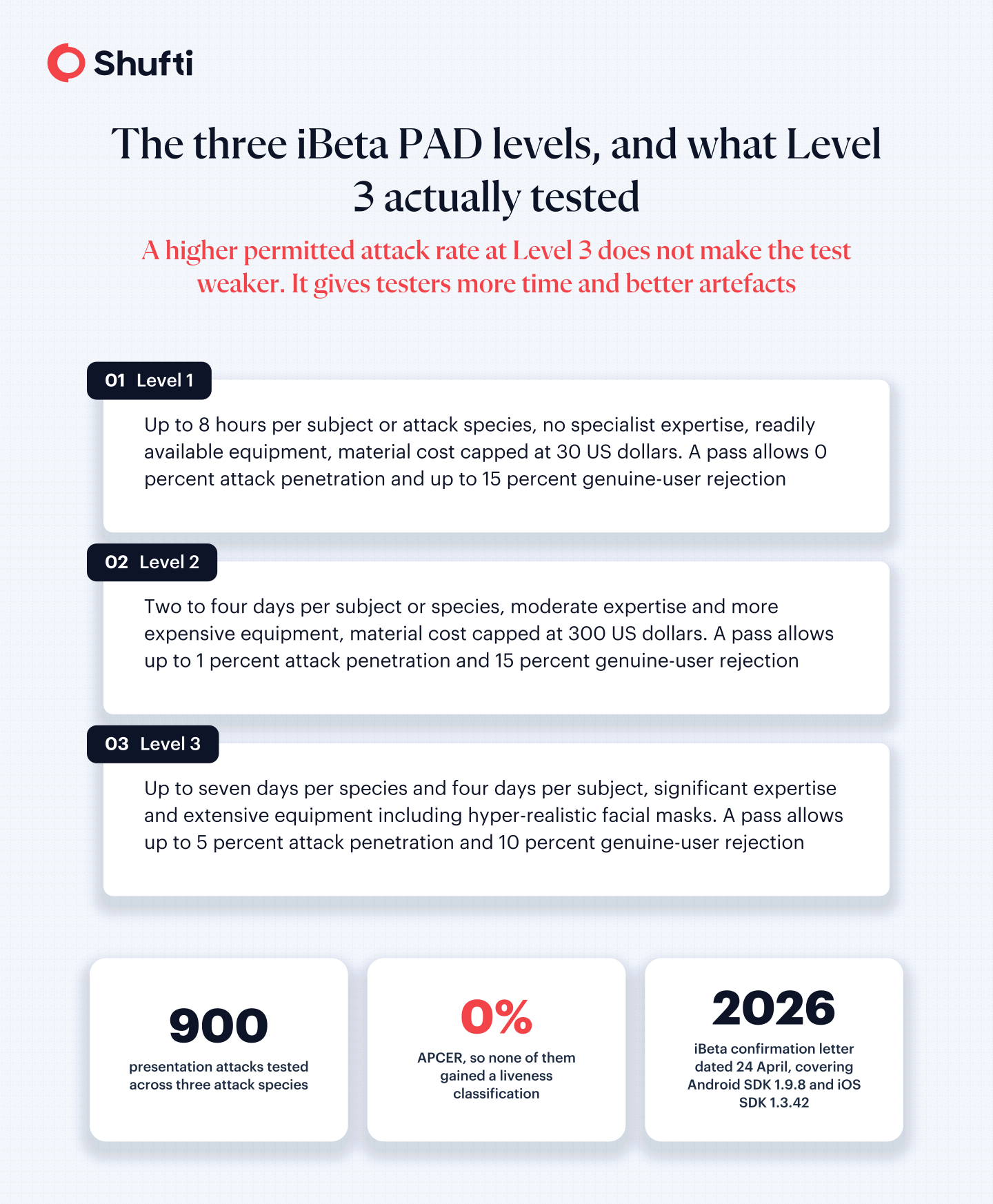
| iBeta level | Attacker effort represented | Maximum attack penetration or match rate for a pass | Maximum genuine-user rejection rate |
|---|---|---|---|
| Level 1 | Up to 8 hours per subject or PAI species, no specialist expertise and readily available equipment. Material cost is limited to $30. | 0% | 15% |
| Level 2 | Two to four days per subject or species, moderate expertise and more expensive equipment. Material cost is limited to $300. | 1% | 15% |
| Level 3 | Up to seven days per species and four days per subject, significant expertise and extensive equipment, including hyper-realistic facial masks. | 5% | 10% |
The higher permitted attack rate at Level 3 does not make the test weaker. Level 3 gives experienced testers more time and more capable artefacts. Therefore, the result should be read together with the attacker effort, attack species, devices and error rates.
How to evaluate a presentation attack detection test result?
A statement such as “ISO compliant” is too broad to support a buying decision. Before relying on a confirmation letter or test report, check:
- The exact product, SDK, model, and backend version that were tested.
- The devices, operating systems, and capture sensors used in the evaluation.
- Whether the test covered passive liveness, active liveness, or a complete biometric system.
- The PAI species, number of attempts, and attacker effort included.
- The reported APCER and BPCER, including whether both are publicly available.
- The test date, because the product and the threat landscape can change.
- Whether injection attacks were assessed through a separate test.
These details turn a badge into usable evidence. They also help procurement and compliance teams decide whether the tested configuration matches their own deployment.
How does Shufti detect presentation attacks during face verification?
Shufti’s face verification software uses in-house models to assess whether a real person is present before a face is accepted for comparison. Its passive liveness option works from a single selfie without asking the user to complete a challenge. Meanwhile, active liveness is configurable for journeys that need a challenge-and-response step.
iBeta’s public confirmation letter dated 24 April 2026 records a Level 3 PAD evaluation of Shufti’s Android SDK v1.9.8 on a Google Pixel 4 and iOS SDK v1.3.42 on an iPhone 12 Pro, with both using the same backend liveness component. Across 900 presentation attacks from three PAI species, none gained a liveness classification. The overall APCER was therefore 0%.
The same letter says BPCER was calculated but is available in the final report, so the public letter does not provide a BPCER figure. It concludes that the tested SDKs and supporting backend complied with iBeta Level 3 under ISO/IEC 30107-3.
The scope still matters. The letter supports Shufti’s performance against the presentation attacks and configurations included in that test. Shufti also provides controls for deepfake and camera-injection risks, but those controls should be evaluated separately because attacks that bypass the capture device fall outside ISO/IEC 30107-3.
Frequently Asked Questions
Why is presentation attack detection important for financial institutions?
Where a bank or fintech uses facial biometrics, PAD helps stop a printed face, replay, or mask from being treated as a genuine capture. FinCEN has also documented increased suspicious activity reporting involving suspected deepfake media. However, PAD should sit alongside document, device, injection, and transaction controls rather than replace them.
Why do businesses need PAD during digital onboarding?
PAD helps confirm that the biometric capture comes from a person who is physically present. This reduces the risk of accepting a photograph, replay or mask before biometric matching begins. However, liveness does not prove the person's identity by itself, so the result should be combined with identity evidence and face matching.