AMLR Solutions
  AMLR Consultation
 EUDI Wallet
 Onboarding
 Ongoing Monitoring
 FRAML
FRAML KYC
KYC KYB
KYB KYI
KYI Age Assurance
 Workforce IAM
 Candidate Verification
 Account Takeover
 Bonus/ Promotion Abuse
 Chargeback Fraud
 Deepfake
 Document Fraud
 Fraud Networks
 Impersonation Fraud
 Money Mule Activity
 Multi-Accounting
 Party Fraud
 Regulatory & Compliance Risks
 Synthetic Identity Fraud
 Adult Content
 Banking
 Crypto
 Fintech
 Forex
Forex Compliance
 Fraud prevention
 Trust & safety
 Global expansion
 Compliance Officers
 Developers
 Fraud Analysts
 Product Managers
 Journey Builder
  Global Trust Platform
 Customer Profiles
 Vendor Comparison
 IDV Case Management
 AML Case Management
 Regulatory Reporting
 Agentic Rule Builder
  AI Compliance Co-Pilot
  Fraud Analytics
 Fraud Hub
  OCR
OCR Shufti AI
 Bank Account Verification
  Biometric Duplication
 Database Checks
 Document Intelligence
 Government ID
 Mobile Driver's License
 NFC
NFC Selfie Liveness
 Brand Personalisation
 Deployment Options
 Identity Methods
 IDV Modes
 Multi-tenancy
 On-Premise IDV
 Secure Capture
 Shufti MCP














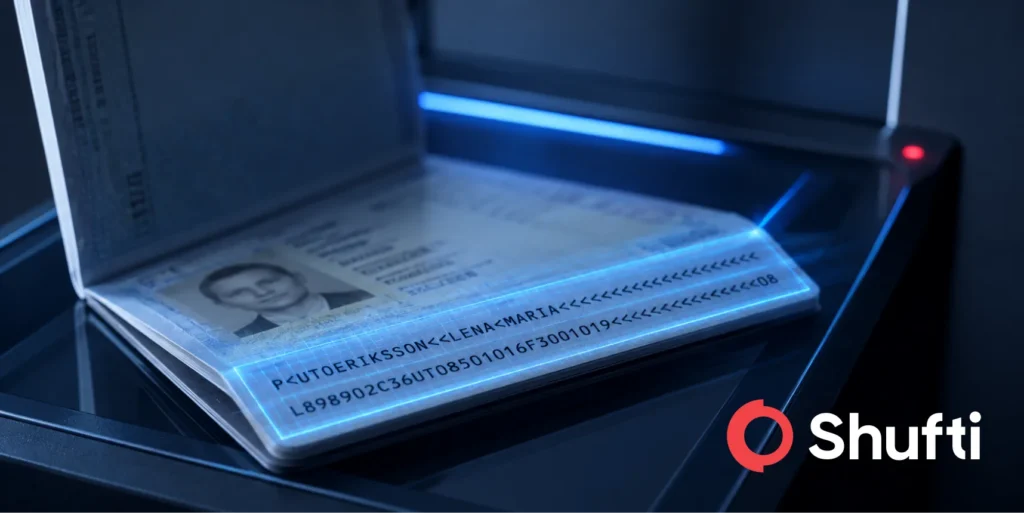
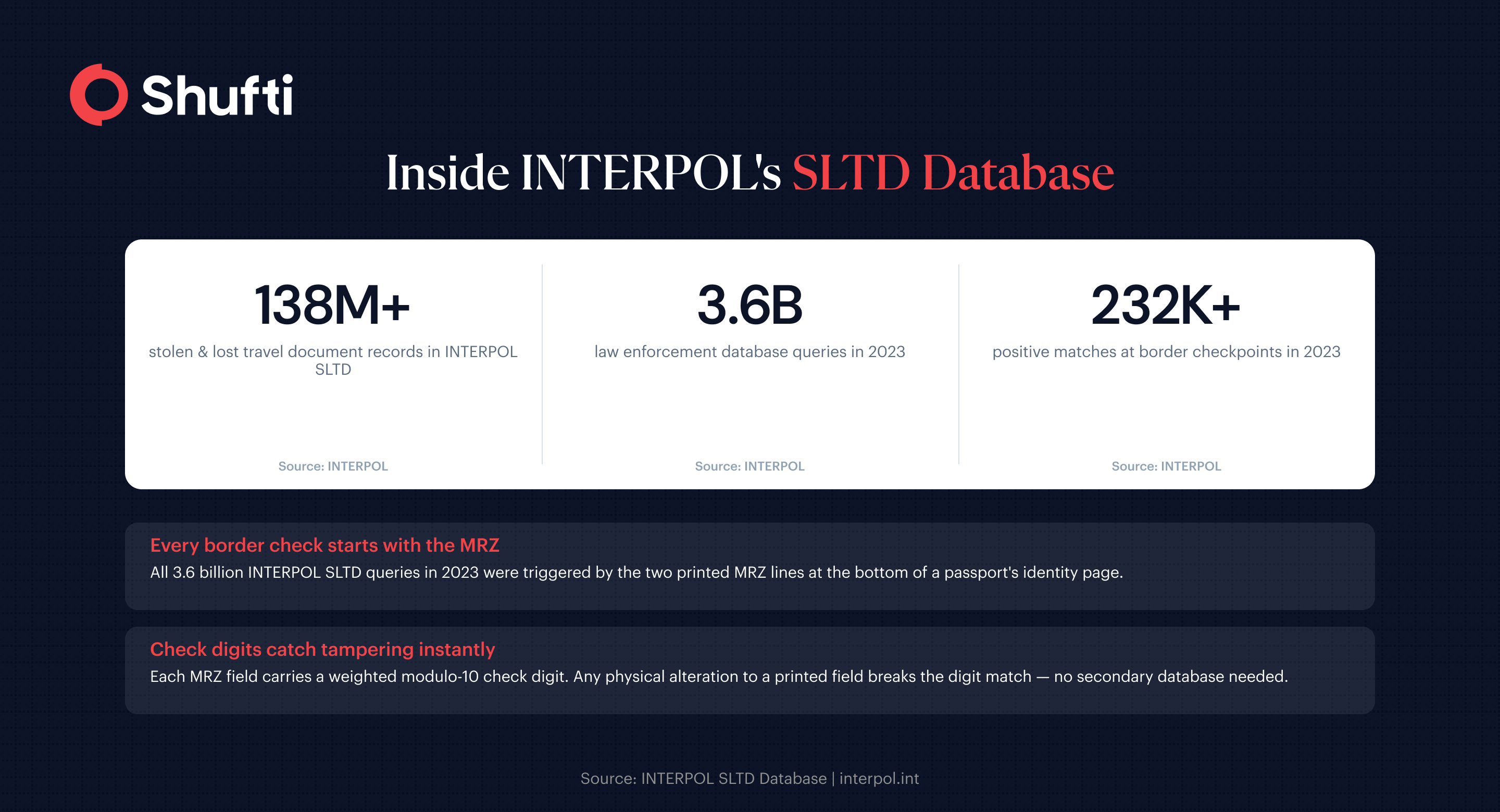
INTERPOL’s database of stolen and lost travel documents holds over 138 million records. In 2023 alone, law enforcement officers queried it 3.6 billion times, flagging more than 232,000 compromised passports at border checkpoints worldwide. Every one of those checks starts with the same two printed lines at the bottom of the passport’s identity page. Those two lines are the Machine Readable Zone.
Understanding what MRZ data contains, what it omits, and how automated systems validate it is the foundation for any organisation running document-based identity checks.
What is MRZ in passport?
The Machine Readable Zone (MRZ) is a standardised strip at the bottom of a machine-readable passport or identity document, consisting of two or three rows of OCR-readable characters that encode the holder’s core identity data, following formats defined by ICAO Doc 9303.
What does the MRZ actually contain?
The MRZ is not a separate security element. It is a printed, machine-readable copy of the data already visible in the document’s Visual Inspection Zone (VIZ). Both zones carry the same core identity fields, including surname and given names, document number, nationality, date of birth, gender, and document expiry date. The MRZ does not store biometric data, photographs, or the holder’s address.
Each character position in the MRZ is fixed by ICAO Doc 9303, 8th edition, which took effect in January 2026. The standard defines three document types. Type 3 is the standard passport booklet, with two lines of 44 characters each. Smaller, credit-card-sized documents fall under Type 1, using three lines of 30 characters each. Relatively rare in practice, Type 2 covers documents with two lines of 36 characters.
The check digit: the MRZ’s built-in tamper signal
Each data field in the MRZ is followed by a check digit, calculated from the preceding characters using a weighted modulo-10 algorithm. Individual check digits cover the document number, date of birth, expiry date, and optional data fields. A composite check digit then covers the entire MRZ.
If anyone physically alters a printed MRZ field, the check digit for that field will no longer match. An OCR system that recalculates all five check digits can detect most surface-level document tampering without any secondary intelligence. This is why MRZ check-digit validation has become a standard step in automated document verification workflows.
How MRZ readers extract and validate passport data?
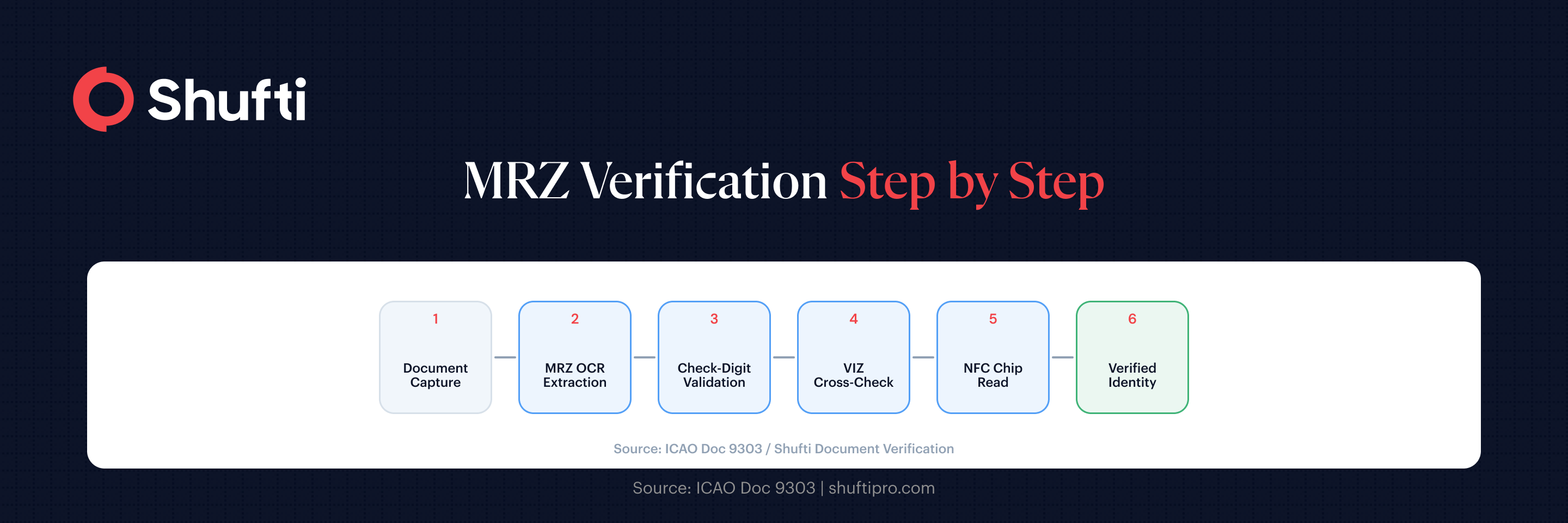
A dedicated MRZ reader, or an OCR-based verification system, processes a document image in three sequential stages.
Step 1: Capture and Segmentation
Using the MRZ zone’s fixed position relative to the document type, the system locates and isolates it for recognition. High-resolution capture matters here because worn documents, glare, and lens distortion all affect character accuracy.
Step 2: Character Recognition
OCR technology converts the MRZ characters to text. The MRZ uses the OCR-B typeface, a font designed for machine readability with minimal character ambiguity. This design choice is what made early automated passport scanning viable with 1980s-era optical hardware.
Step 3: Validation
Every check digit is recalculated from the extracted characters and compared against the printed values. The system also cross-checks MRZ data against VIZ fields visible elsewhere on the document and tests for internal date consistency. A mismatch at any point triggers a rejection flag or a manual review queue.
Where MRZ falls short and what that means for fraud?
MRZ validation confirms that the printed data is internally consistent. It does not confirm that the document is genuine.
A skilled counterfeiter can produce an entirely fabricated identity page carrying a valid MRZ, because the check-digit algorithm is publicly documented. The MRZ cannot tell a verification system whether the document number belongs to a real issued passport, whether that passport has been reported stolen, or whether the person presenting it is the rightful holder.
This is why MRZ extraction is treated as a baseline, not a complete check. Full passport verification adds layers on top by cross-referencing against databases like INTERPOL’s SLTD, reading the digitally signed chip data in ePassports, and running biometric face matching against the document photo.
Most passports issued today contain an embedded NFC chip alongside the MRZ. The chip stores a cryptographically signed copy of the holder’s data, including a facial image, protected by digital signatures from the issuing country’s certificate authority. NFC verification reads this chip directly and validates the signature chain, providing a level of assurance that no printed MRZ can replicate.
Opportunities and Challenges MRZ has in automated KYC and remote onboarding
For organisations running remote Know Your Customer, MRZ extraction is typically the first data-capture step in a document submission flow. When a user photographs or scans their passport, an automated system reads the MRZ before anything else. The extracted fields pre-populate the identity record, the check digits confirm field integrity, and the document type is established for the stages that follow.
ICAO required all 193 member states to issue only machine-readable passports from 2010 and set a hard expiry deadline for non-machine-readable passports of November 2015. Any passport presented through a remote onboarding flow today should be fully machine-readable. The variation across compliance programs lies in how much additional validation is applied beyond the MRZ layer.
For KYC purposes under FATF customer identification standards, MRZ extraction eliminates manual data entry errors and speeds processing. It stops well short of meeting the document authenticity checks most financial regulators expect. Effective document verification combines MRZ data extraction with forensic image analysis, NFC chip reading where available, and liveness-checked biometric matching to confirm that the person submitting the document matches its recorded holder.
Shufti’s approach to document verification
Forged passports can carry a valid MRZ, stolen documents pass check-digit tests, and chip-less documents leave a verification gap that only forensic image analysis can close. Shufti’s document verification reads RZ data, recalculates all check digits, cross-references against 10,000+ document templates across 240+ countries and territories, and chains into NFC chip reading and face matching through a single API call.
|
Request a demo to run your passport flows against the full pipeline and see where your current process stops and where a layered approach picks up. |
Frequently Asked Questions
What is the Machine Readable Zone (MRZ) on a passport?
The MRZ is a standardised strip at the bottom of a passport's identity page, consisting of two rows of 44 OCR-readable characters each. It encodes the holder's name, document number, nationality, date of birth, gender, and expiry date, following ICAO Doc 9303 formatting rules with embedded check digits for tamper detection.
What are the different types of MRZ formats?
ICAO Doc 9303 defines three travel document formats: TD1 (3 lines × 30 characters, used for ID cards and residence permits), TD2 (2 lines × 36 characters, used for some legacy documents), and TD3 (2 lines × 44 characters, the standard passport format). Machine-readable visas use MRV-A (2 × 44) or MRV-B (2 × 36) layouts.
What is the difference between MRZ and biometric data on a passport?
MRZ data is printed text that OCR systems read optically. Biometric data is stored inside an NFC chip embedded in the passport cover, digitally signed by the issuing country. The chip holds the holder's facial image and personal data in a protected format, making it far harder to falsify than a printed MRZ.
Can MRZ be forged or tampered with?
The MRZ can be reprinted with fabricated data. Because the check-digit algorithm is public, a forger can produce a MRZ that passes automated consistency checks for a completely fictional identity. Tampering with an existing document is harder because MRZ and VIZ data must stay consistent, but both attack types occur. MRZ validation alone is not sufficient for high-stakes identity verification.
How does MRZ support digital onboarding or KYC?
In remote onboarding flows, MRZ extraction automates identity data capture, eliminates transcription errors, and confirms field-level integrity through check-digit recalculation. Most compliance-grade verification flows treat MRZ extraction as the starting point, then layer document authenticity checks, NFC chip reading, and biometric face matching on top to meet regulatory standards.