




 Face Verification
 Address Verification
 Document Verification
 Age Verification
 VideoIdent
 Fast ID
 Docless Verification
 Consent Verification
 NFC Verification
 Business Verification
 Due Diligence
 Investor Verification
 E-Signature

 QES
QES
 AML Screening
 Transaction Monitoring
 Adverse Media
 Business AML Screening
 PEP & RCA
 Sanctions
 Watchlist
 Behavioural Biometrics
 Device Fingerprinting
 Biometric Face Authentication
 MFA
MFA
 Fraud Hub
 Onboarding
 Ongoing Monitoring
 KYC
KYC
 KYB
KYB
 KYI
KYI
 Age Assurance
 Identity Verification
 Workforce IAM
 Candidate Verification
 Compliance
 Fraud prevention
 Trust & safety
 Global expansion
 Product Managers
 Compliance Officers
 Fraud Analysts
 Developers
 Deepfake Detection
 Bonus Abuse / Promotion Abuse
 Account Takeover
 Synthetic Identity Fraud
 Document Fraud
 Impersonation Fraud
 Multi-Accounting
 Fraud Networks
 Chargeback Fraud
 Money Mule Activity
 Party Fraud
 Regulatory & Compliance Risks
 Fintech
 Crypto
 iGaming
 Forex
Forex
 Social Network
 Marketplace
 Banking
 Gig Economy
 Payments
 Ride Hailing
 Adult Content
 Blind Spot Audit
 Deepfake Detector
 Liveness Spoofs
 Document Originality
 Document Deepfake
 Global Trust Platform
 Journey Builder
 Case Management
 Shufti AI
 Fraud Analytics
 Vendor Comparison
 Brand Personalisation
 AI Compliance Co-Pilot
 OCR
OCR
 Secure Capture
 Deployment Options
 Identity Methods
 API Documentation
 Mobile SDKs
 Service Status
 Help Center
 Contact Us
 Technical Support
 Supported Documents
 Supported Countries
 Content library
 Blogs
Blogs
 News
News
 Reports
 Insights
 Knowledgebase
 ROI calculator
 About
About
 Career
 Press Release
 Certifications
 Partnership
 Awards
 Events & Webinar
 Interactive Demo
 Podcast Studio
 Spotlight Studio
8 Signs Your Identity Verification Tool Is No Longer Good Enough

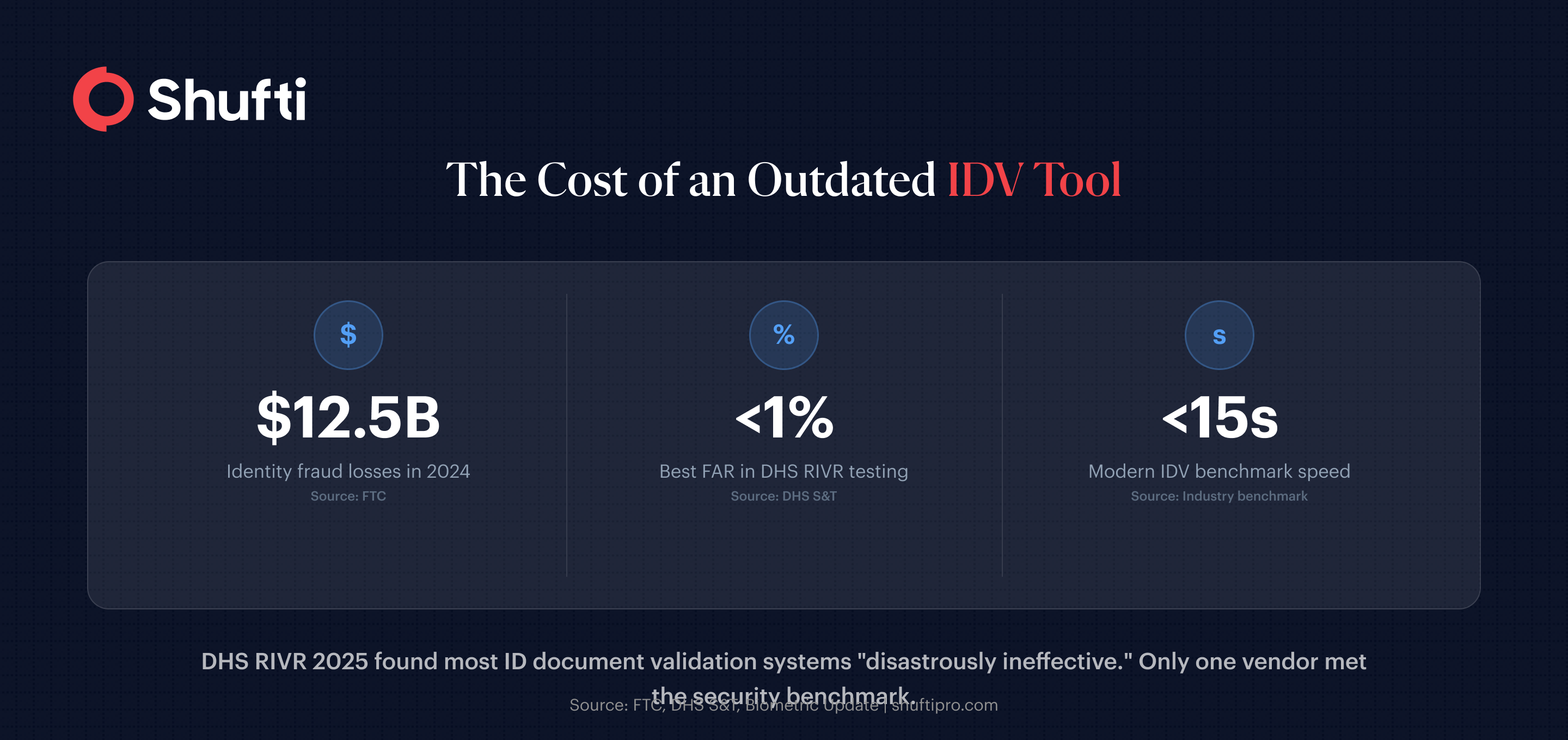
The DHS Remote Identity Validation Rally (RIVR) tested seven ID document validation systems in 2025. The results were blunt: most were “disastrously ineffective,” with only one meeting the security benchmark for false acceptance rate and another meeting the usability benchmark for false rejection rate. None met both.
If that sounds alarming, it should. Your identity verification tool is the front door to your platform, and if it was set up two or three years ago, the threat environment has likely outpaced it. Here are 10 signs it’s time to take a hard look at what you’re running.
Signs Your Identity Verification Tool Can’t Keep Up with Fraud
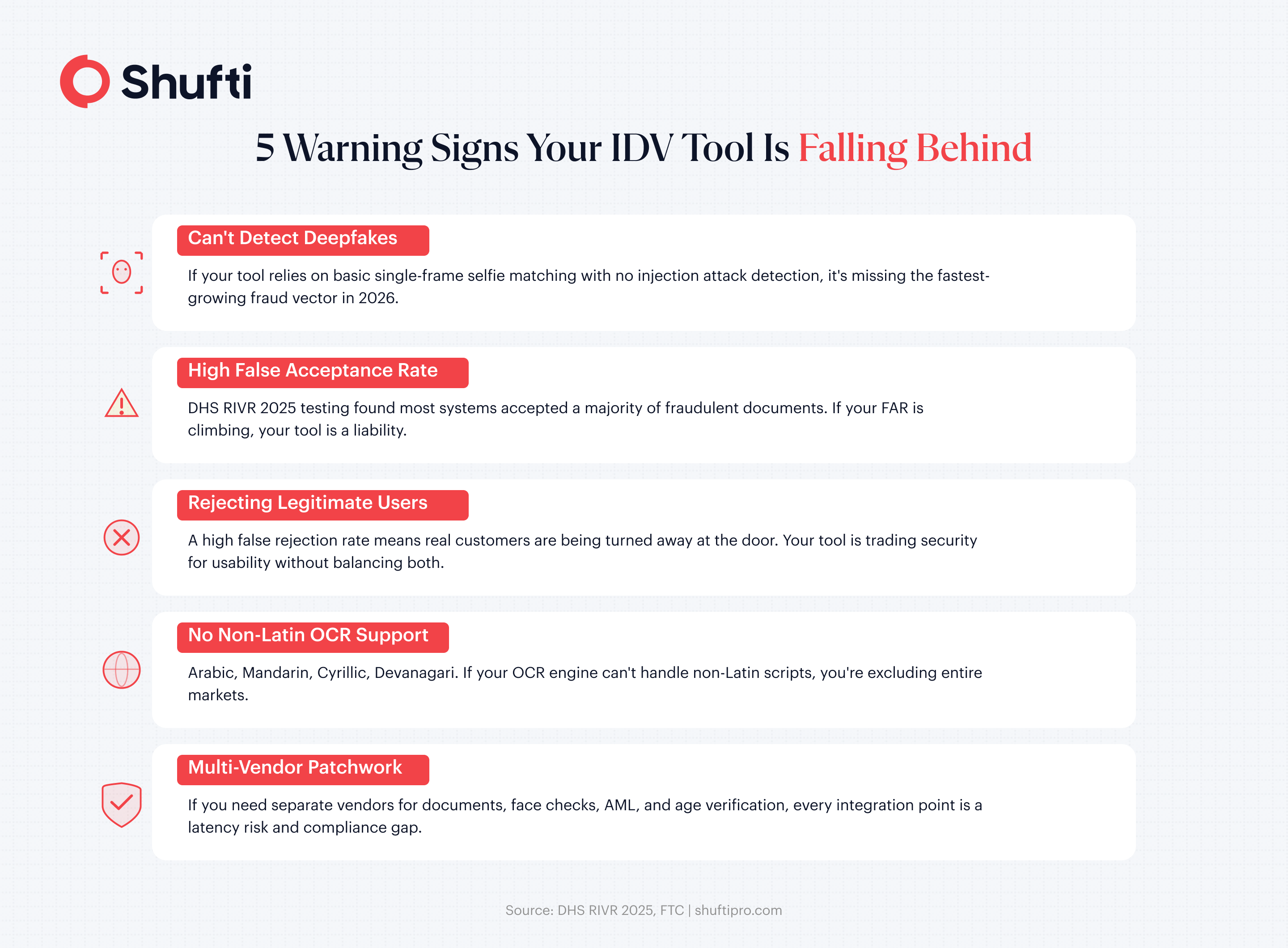
Sign 1: It Can’t Detect Deepfakes or Injection Attacks
Fraudsters aren’t just submitting stolen documents anymore. They’re using generative AI to create synthetic selfies and inject manipulated video feeds directly into verification workflows. If your identity verification system still relies on basic liveness checks (single-frame selfie matching with no depth analysis), it’s missing these attacks entirely.
A capable automated identity verification tool needs multi-layered liveness detection: passive checks, active challenges, and injection attack detection at the SDK level. If your tool can’t tell the difference between a live face and a deepfake fed through a virtual camera, you have a critical gap in your fraud defences.
Sign 2: Your False Acceptance Rate Is Climbing
False acceptance rate (FAR) measures how often your system lets a fraudulent identity through. If you’re seeing more confirmed fraud cases that passed verification, your FAR is trending in the wrong direction. The DHS RIVR testing showed wide performance dispersion across systems, with some accepting a majority of fraudulent documents while others held false acceptances near 1%. The difference between those two outcomes is the difference between a working tool and a liability.
Sign 3: It Relies on Third-Party AI You Can’t Audit
Some digital identity verification tools are assembled from third-party components: one vendor’s OCR, another’s facial recognition, a third party’s liveness engine. The problem is that when something goes wrong, nobody owns the failure. You can’t audit what you don’t control. You also inherit every dependency’s latency, every model’s bias, and every sub-vendor’s data handling practices. If your provider can’t tell you exactly which models run your verifications and where your data goes at each step, that’s a sign your tool has more owners than it should.
Signs Your Tool Is Hurting the Customer Experience
Sign 4: Legitimate Customers Keep Getting Rejected
A high false rejection rate (FRR) means your tool is turning away real customers. The FTC reported that identity fraud cost victims over $12.5 billion in 2024, so tightening security makes sense. But if your system overcorrects, you’re solving fraud by creating a different problem: losing good customers at the front door. Track your FRR alongside your FAR. If one drops while the other spikes, your tool is trading security for usability (or the reverse), and a well-built system shouldn’t force that tradeoff.
Sign 5: Verification Takes More Than 15 Seconds
Speed matters for both compliance and conversion. If your online identity verification tool takes 30, 45, or 60+ seconds to return a decision, your drop-off rate is climbing. Users on mobile devices are especially impatient. Industry benchmarks put sub-15-second end-to-end verification as the standard for modern GPU-accelerated systems. If your tool is slower, ask why.
Sign 6: It Doesn’t Handle Non-Latin Scripts
Arabic, Mandarin, Cyrillic, Devanagari. If your OCR engine chokes on non-Latin characters, you’re excluding entire markets and flagging legitimate documents as unreadable. A modern document verification system should support multi-script OCR natively. If yours requires manual review every time a passport comes through in a non-Latin script, you’re paying for a bottleneck.
Signs You’ve Outgrown Your Tool’s Compliance Coverage
Sign 7: It Can’t Cover the Document Types Your Markets Require
Expanding into new regions means supporting new document types: national ID cards, residence permits, voter IDs, tax documents. If your tool only handles passports and driver’s licences from a handful of countries, every new market launch turns into a coverage gap exercise. The FATF Guidance on Digital Identity is technology-neutral, but regulators in specific jurisdictions expect you to verify the documents their citizens actually carry.
Sign 8: Your Regulator Now Expects More Than Your Tool Delivers
Regulatory requirements have accelerated. The EU AI Act imposes new obligations on biometric systems. FATF’s updated guidance pushes for risk-based digital identity assurance. If your tool hasn’t added deepfake detection, ongoing monitoring, or risk-tiered verification workflows since it was deployed, you may already be behind what your regulator expects in 2026.
What a Modern Identity Verification Tool Should Look Like?
The signs above aren’t just problems. They’re a diagnostic checklist. A modern AI identity verification tool should handle all of them from a single platform: deepfake detection, injection attack prevention, multi-script OCR, sub-15-second decisions, balanced FAR/FRR, and global document coverage.
Shufti builds its entire verification pipeline in-house, with no third-party AI dependencies. That means 10,000+ document types across 230+ countries, nearly 100 OCR languages, and iBeta Level 1 & 2 certified biometric accuracy. Shufti was also named a DHS RIVR 2025 Top Performer, tested against the same benchmarks that exposed failures across the industry.
Cloud, on-premises, or hybrid deployment through a single API. No vendor patchwork required.
See how Shufti handles identity verification for your use case
Conclusion
If three or more of these signs describe your current setup, the real question is how fast you can evaluate alternatives before the next deepfake attempt, compliance audit, or customer complaint forces the decision for you. Start by benchmarking your current tool against the metrics above, then talk to providers who can demonstrate results against those same standards.
Frequently Asked Questions
What is the difference between FAR and FRR in identity verification?[c]
FAR (false acceptance rate) measures how often a system incorrectly approves a fraudulent identity. FRR (false rejection rate) measures how often it incorrectly rejects a legitimate user. A good identity verification tool keeps both low simultaneously.
How fast should an identity verification tool return a decision?
Modern GPU-accelerated systems can complete full KYC checks in under 15 seconds. Anything consistently above 30 seconds risks increasing customer drop-off during onboarding.
How do I know if my identity verification tool can detect deepfakes?
Ask your provider whether they offer multi-layered liveness detection, including passive checks, active challenges, and SDK-level injection attack prevention. If liveness is limited to single-frame selfie matching, it likely cannot catch sophisticated deepfakes.
What document types should a good identity verification tool support?
At minimum, it should cover passports, national ID cards, driver's licences, and residence permits across major global markets. Leading tools support 10,000+ document types with multi-script OCR for non-Latin languages.
When is it time to switch identity verification tools?
When your tool consistently fails on multiple indicators listed above: rising fraud rates, high rejection of legitimate users, slow verification times, limited document coverage, or inability to detect modern attack vectors like deepfakes and injection attacks.