AMLR Solutions
  AMLR Consultation
 EUDI Wallet
 Onboarding
 Ongoing Monitoring
 FRAML
FRAML KYC
KYC KYB
KYB KYI
KYI Age Assurance
 Workforce IAM
 Candidate Verification
 Account Takeover
 Bonus/ Promotion Abuse
 Chargeback Fraud
 Deepfake
 Document Fraud
 Fraud Networks
 Impersonation Fraud
 Money Mule Activity
 Multi-Accounting
 Party Fraud
 Regulatory & Compliance Risks
 Synthetic Identity Fraud
 Adult Content
 Banking
 Crypto
 Fintech
 Forex
Forex Compliance
 Fraud prevention
 Trust & safety
 Global expansion
 Compliance Officers
 Developers
 Fraud Analysts
 Product Managers
 Journey Builder
  Global Trust Platform
 Customer Profiles
 Vendor Comparison
 IDV Case Management
 AML Case Management
 Regulatory Reporting
 Agentic Rule Builder
  AI Compliance Co-Pilot
  Fraud Analytics
 Fraud Hub
  OCR
OCR Shufti AI
 Bank Account Verification
  Biometric Duplication
 Database Checks
 Document Intelligence
 Government ID
 Mobile Driver's License
 NFC
NFC Selfie Liveness
 Brand Personalisation
 Deployment Options
 Identity Methods
 IDV Modes
 Multi-tenancy
 On-Premise IDV
 Secure Capture
 Shufti MCP















TL;DR
- Shufti provides five integration modes, not just an SDK or API binary.
- 43% of developers identify API integration as their most time-consuming task.
- Native mobile SDKs give the strongest biometric capture and spoofing resistance.
- Journey Builder is the fastest path, going live in hours to a day.
- On-premises eliminates cloud-side data exposure for strict residency mandates.
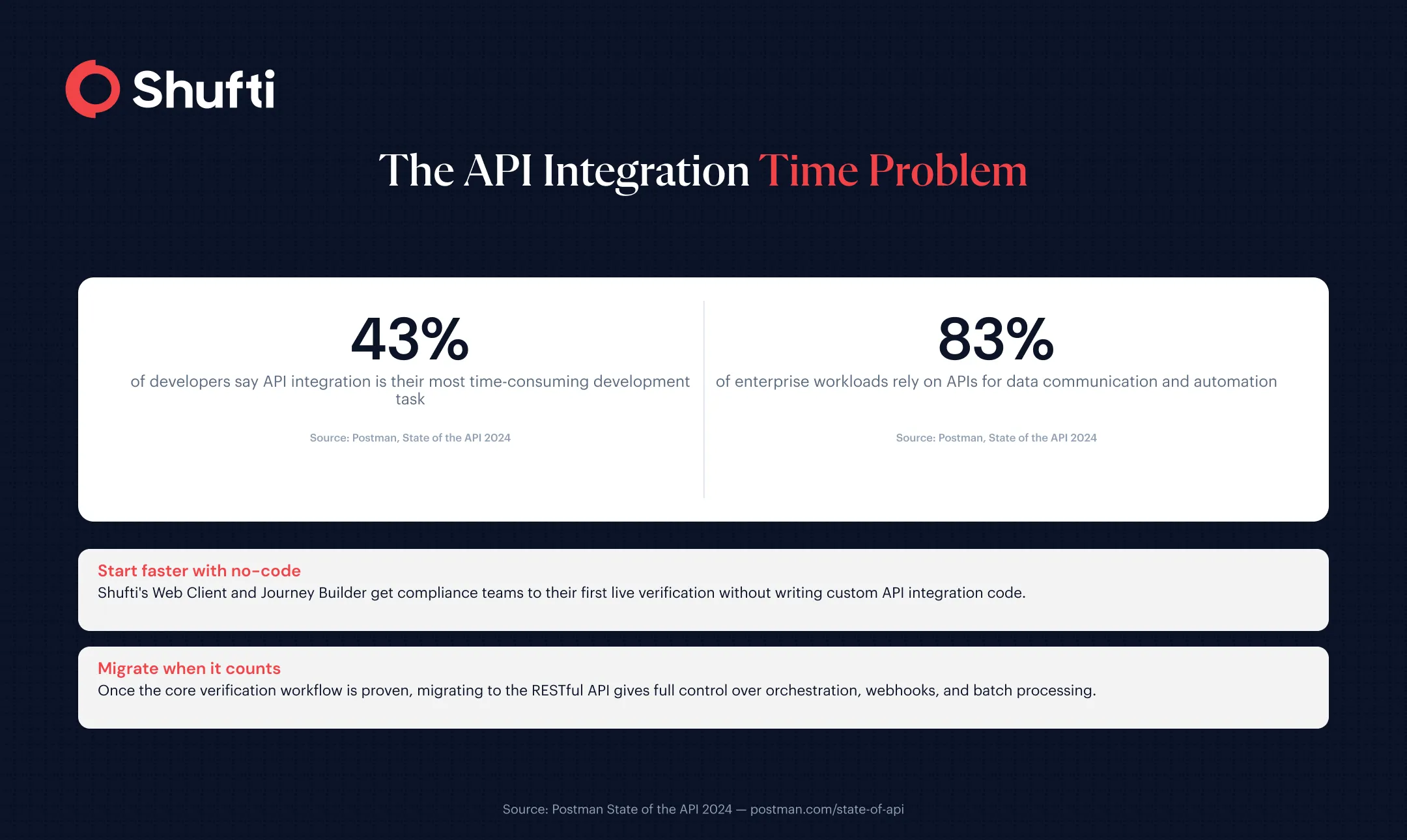
According to Postman’s State of the API 2024 report, 43% of developers identify API integration as their most time-consuming development task. For teams adding identity verification to a regulated product, the wrong integration choice does not just slow delivery; it creates compliance gaps that are expensive to close later.
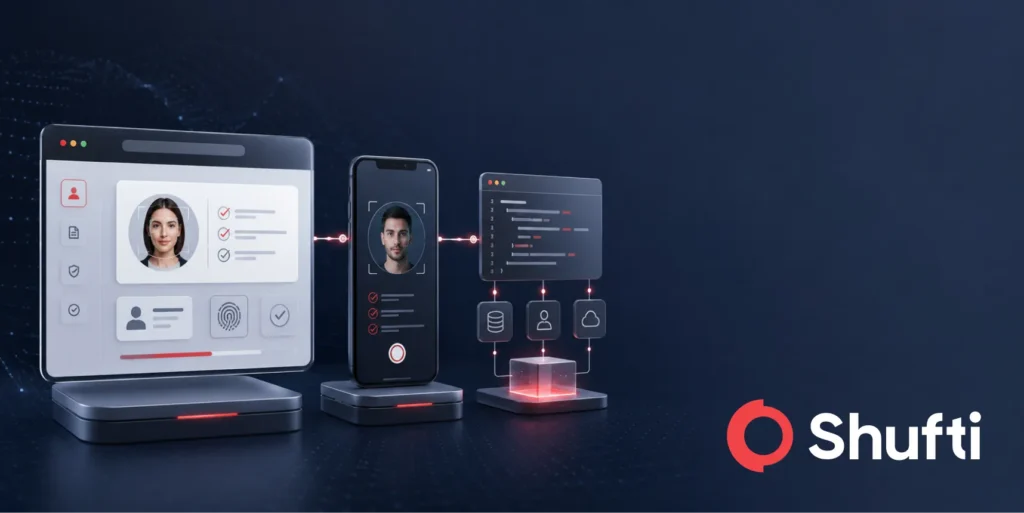
Shufti provides five distinct integration modes, each designed for a different combination of technical requirements, deployment constraints, and go-live timelines. This guide maps each mode to the scenario where it fits best, so your team can make the decision once and ship.
Why the SDK-or-API Binary Misses the Point?
Most developer-facing identity verification content frames the integration decision as a binary: SDK or API. That framing ignores three other modes that exist precisely because not every product is a backend service, and not every team has weeks of engineering runway available.
Shufti’s integration architecture is built around the real distribution of products that need verification: native mobile apps, web-based onboarding flows, no-code compliance stacks, and enterprise deployments with data sovereignty requirements. Each mode serves one of these contexts. The RESTful API is not inherently better than the Web Client; it is better for a specific kind of team building a specific kind of product.
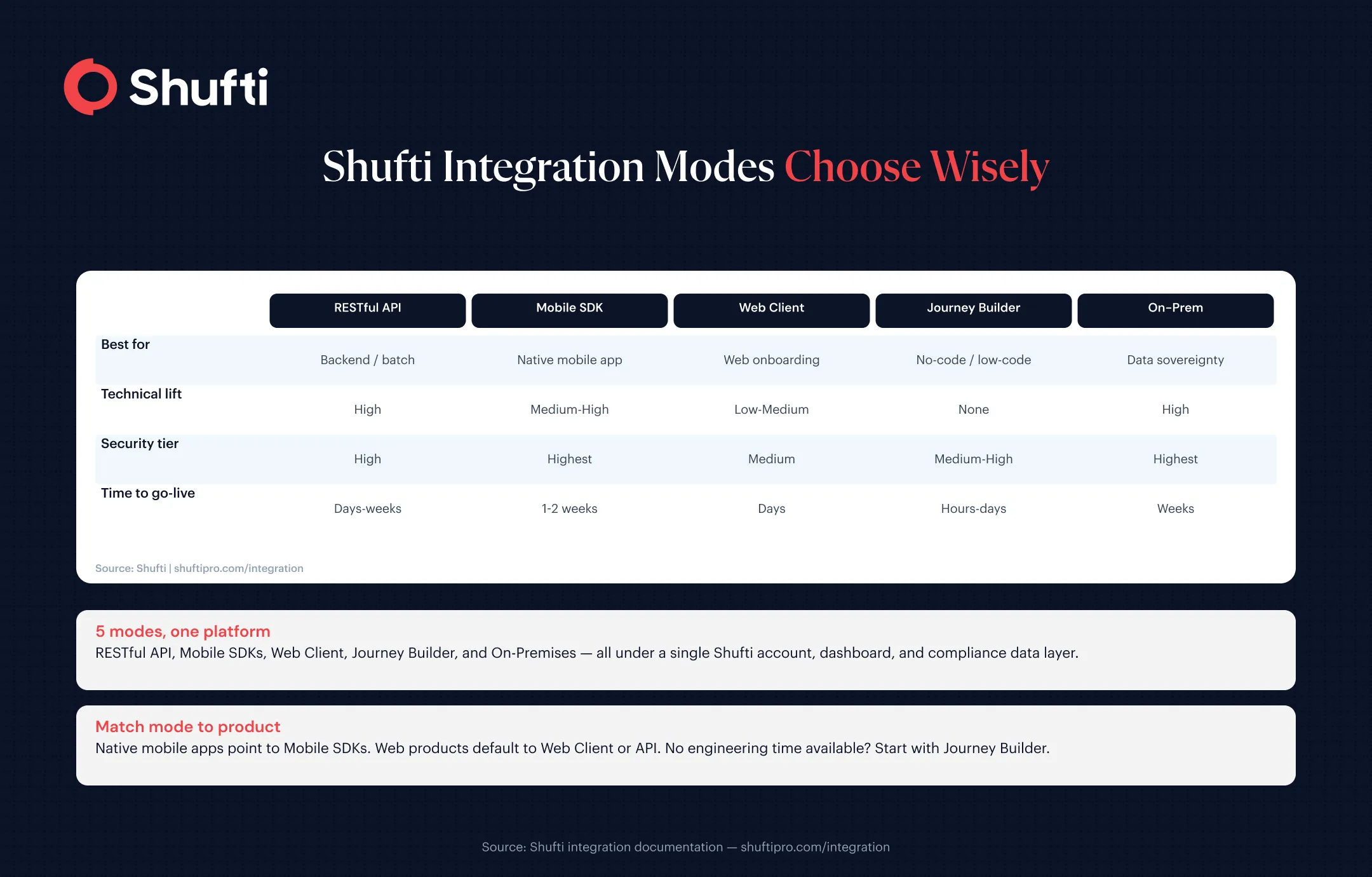
Shufti’s Five Integration Modes
| Integration mode | Best for | Technical lift/time to go-live |
| RESTful API | Server-to-server, batch, backend control | Highest lift; one to two weeks |
| Mobile SDKs | Native apps needing top biometric capture | One to two weeks |
| Web Client (iFrame) | Web onboarding without building UI | Low to medium; a few days |
| Journey Builder | Fast no-code flows, limited engineering | Lowest; hours to a day |
| On-Premises | Hard data sovereignty requirements | Longest; weeks |
1. RESTful API
Shufti’s RESTful API gives your backend full control over the verification workflow. Your server submits a verification request, Shufti processes it, and the results are returned asynchronously via webhooks (HTTP POST payloads delivered to your endpoint once the check completes). The same API endpoint covers all Shufti products: document verification, face matching, AML screening, KYB, and more.
Use this when: you need server-to-server verification, batch processing, or tight coupling with your existing orchestration layer. Backend engineers at fintech and financial services firms typically choose this path when verification logic needs to sit inside their own user lifecycle management rather than on the client side. Technical lift is the highest of the five modes, but so is the degree of control. Over 83% of enterprise workloads rely on APIs for data communication and automation, and Shufti’s API is built to sit inside that infrastructure from day one.
2. Mobile SDKs
Shufti’s Mobile SDKs are available for Android, iOS, Flutter, React Native, and Cordova. They manage document capture, liveness detection, and facial biometrics directly on the device, passing processed results to Shufti’s verification pipeline.
Use this when: you are building a native mobile application, and biometric capture quality is a priority. Mobile SDKs access the device camera pipeline directly, which means they can detect camera injection and presentation attacks at a level that browser-based channels cannot match. This aligns with the authenticator assurance principles in NIST SP 800-63B, which recognise native device access as the strongest channel for biometric verification. The SDK handles the capture UX; your application manages the session flow.
3. Web Client (Tailored Verification Page / iFrame)
Shufti’s hosted Web Client is a pre-built verification flow that you embed in a browser session via iFrame. Shufti handles the user interface, document and biometric capture, and result delivery. You receive a webhook when the check completes, with no need to build or maintain the verification UI yourself.
Use this when: you need a web-based onboarding flow and want to avoid building and maintaining verification UI. This is typically the fastest path for web products: integration takes days rather than weeks, data handling obligations under GDPR Article 32 are managed on Shufti’s side, and no mobile SDK build is required. Technical lift sits at low to medium.
4. Journey Builder
Journey Builder is Shufti’s no-code verification flow configurator. Compliance teams and operations leads can assemble multi-step verification workflows (document check, face match, AML screening, address verification) from a visual interface, without writing a line of code.
Use this when: you need to deploy or iterate on a verification flow quickly and engineering capacity is the constraint, not technical feasibility. It is also the right choice for teams that need multiple market-specific flows: different countries, different document types, different AML watchlists, all configurable independently. The Journey Builder library includes pre-built flows covering more than 30 markets. Time to go-live: hours to a day for a first deployment.
5. On-Premises
Shufti’s On-Premises deployment runs the entire verification stack inside your own infrastructure. No verification data leaves your environment. The same RESTful API interface applies, and you retain full control over the compute layer, data residency, and audit trail.
Use this when: data sovereignty is a hard requirement. Banks and financial institutions in jurisdictions with strict data residency mandates, or enterprises under sector-specific frameworks that restrict cloud-side data transfer, use this path. Time to go-live is the longest of the five modes, but the security posture is also the highest: cloud-side data exposure is eliminated entirely.
Choosing the Right Mode: A Practical Framework
Two questions narrow the choice quickly.
- First, where does your product live? Native mobile apps point toward the Mobile SDK. Web-based products default to the Web Client or RESTful API. Teams without engineering time start at Journey Builder. Regulated enterprises with data residency requirements need On-Premises.
- Second, how much engineering time is available? If the timeline is measured in hours, Journey Builder is the realistic option. Days to a week: Web Client or API. One to two weeks: API or Mobile SDK. Open-ended enterprise deployment: On-Premises.
Teams building KYC into a financial product often start with the Web Client for the fastest compliant go-live, then migrate to the API once the core workflow is proven. A broader guide to planning that lifecycle is available in KYC Integration Strategies for Smooth and Regulatory-Compliant Onboarding.
Using Multiple Modes Together
Using more than one Shufti integration mode in a single product is common and architecturally intended. A financial services application might run the Web Client for browser-based onboarding, the Mobile SDK inside its native app, and the RESTful API for background AML re-screening, with all three connecting to the same platform, dashboard, and compliance data. For a deeper look at how the API layer functions within a broader identity verification services stack, see KYC API: What It Is, How It Works, Integration & Use Cases.
To see how each mode maps to your specific product and regulatory requirements, book a demo with Shufti, and a solutions engineer will walk through the right integration for your stack. Most teams reach their first live verification within one sprint.
Frequently Asked Questions
Should I use a KYC SDK or API?
It depends on where verification happens in your product. Mobile apps benefit from an SDK for direct camera access and higher biometric capture quality. Backend-first products, or those requiring batch processing or webhook-driven workflows, are better served by the RESTful API. The two are not mutually exclusive: many production deployments use both.
What is the difference between a mobile KYC SDK and a web SDK?
A mobile SDK runs natively on Android or iOS and accesses the device camera pipeline directly. A web-based client runs in a browser and uses browser-accessible camera APIs. Native mobile capture produces higher-quality biometric data and is more resistant to spoofing and camera injection attacks, making it a stronger channel for liveness detection and face matching.
When should I use a KYC API instead of an SDK?
When verification logic needs to sit inside your backend rather than on the client side. The API suits server-to-server verification, batch processing, and webhook-driven workflows where a single request triggers multiple checks (document, face, AML) from one service call.
Which integration type is most secure?
For biometric capture, native mobile SDKs provide the strongest posture: direct camera pipeline access enables detection of presentation and injection attacks. For data sovereignty, On-Premises deployment eliminates cloud-side exposure entirely. The right answer depends on which threat model applies to your product.
Which is fastest to integrate?
Journey Builder is the fastest path (hours to a day, no engineering required). The Web Client is next for engineering teams (typically a few days). The RESTful API and Mobile SDKs require more integration time but offer more control over the verification flow. On-Premises deployment takes the longest, with go-live measured in weeks.
Which integration should a startup choose?
Startups with limited engineering time typically start with the Web Client or Journey Builder to reach compliance-live status quickly. As the product matures and backend integration complexity becomes justified, migrating verification logic to the RESTful API gives more control over the workflow. The integration modes are designed to be used progressively, not as a one-time fixed choice.